
Review safety alerts, counselling and incidents
Available to
Pharmacy managers and supervisors.Supervisors see how the counter is running without opening each sale. The Pharmacy dashboard has a row of counter figures, and each has a list behind it.
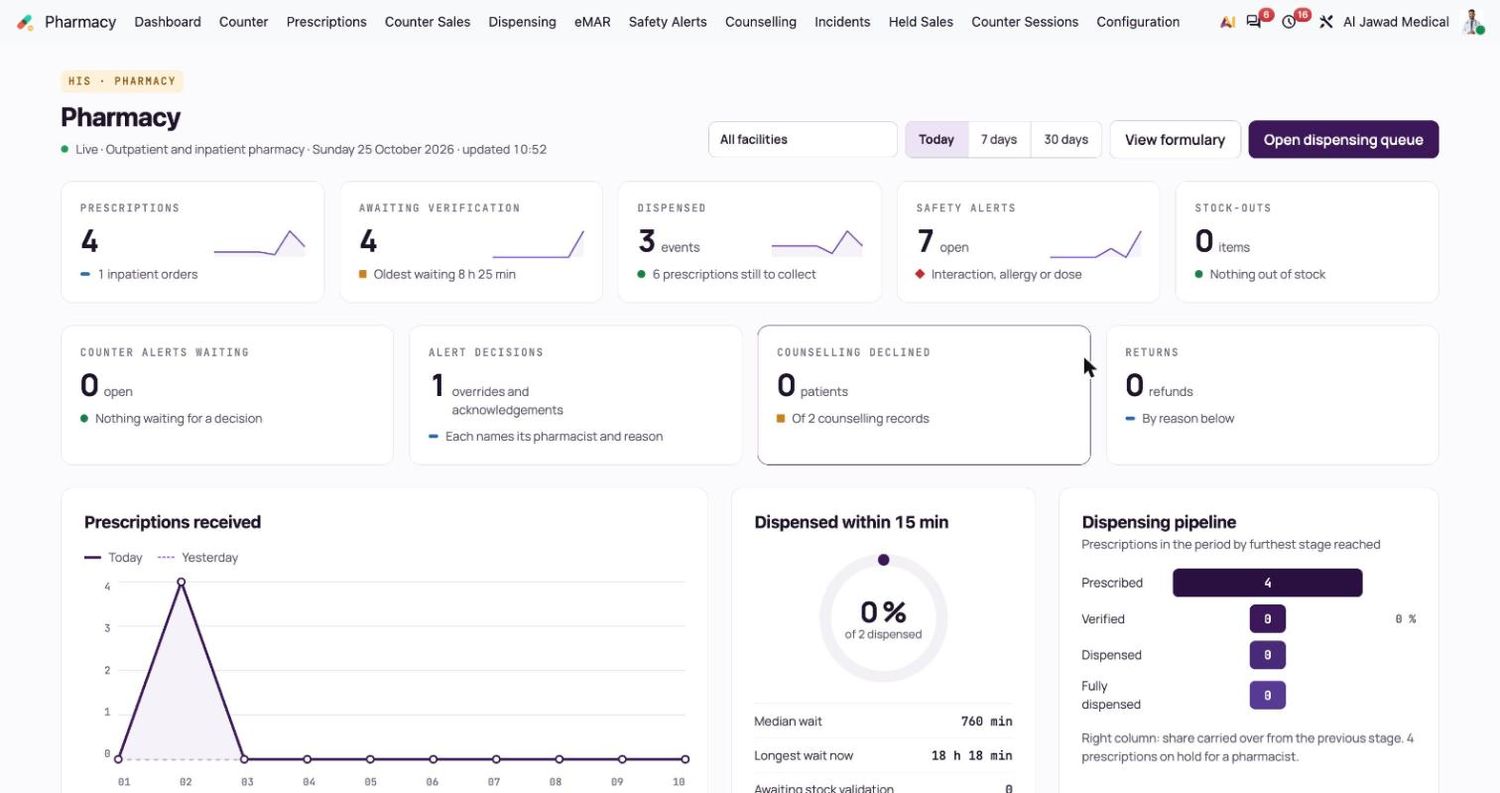
Where to look
| Menu | What it shows |
|---|---|
| Pharmacy → Safety Alerts | Every alert raised at the counter, at prescription verification or at dispensing, with its severity, state, reason and who decided it. The Open filter shows what still waits. |
| Pharmacy → Counselling | Each counselling record: time, patient, medicine, outcome, points covered and pharmacist. Declined counselling is counted on the dashboard. |
| Pharmacy → Incidents | Dispensing incidents, recall notices and adverse reaction reports raised by returns. |
| Pharmacy → Held Sales | Sales waiting at the counter. |
| Pharmacy → Counter Sales and Counter Sessions | The paid orders and the sessions of the pharmacy tills. |


Close an incident
- Open Pharmacy → Incidents and select an incident.
- Check the type, the reason, the patient, the medicine and the batch, and the sale and dispensing event it came from.
- Follow it up with the supplier, the prescriber or the regulator as your procedure says.
- Write the Closure Note and select Close incident.
Good to know
- A batch quarantined by a return, or by a recall, cannot be sold at the counter or dispensed. Only a pharmacy manager can release it.
- Every override and acknowledgement keeps its reason, so a repeated reason is worth a conversation.
Related topics
Was this helpful?
Thank you. Your feedback is recorded.Thank you. Tell us what is missing so we can fix this guide.
Report an issue with this guide