
Run the pharmacist check and decide safety alerts
Available to
Pharmacists. A clinician decides severe allergy alerts.Before payment, the Pharmacist check opens for any prescription medicine and whenever a safety alert is open. It shows what is being dispensed, records counselling, shows the insurance split and lists the alerts that need a decision. Payment waits until the server sees a decision for every alert that blocks it.
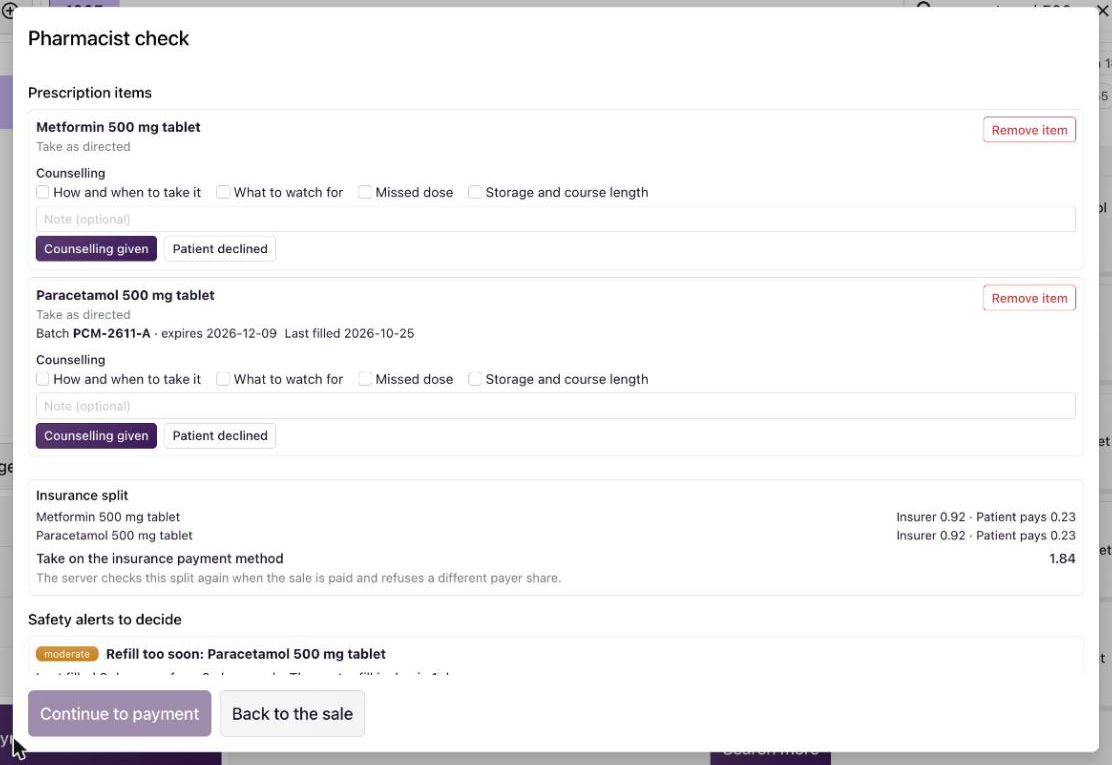
Safety alerts
| Alert | What it checks | What it needs |
|---|---|---|
| Allergy | The patient's recorded allergies against the ingredients and classes in the sale. | A reasoned override. A severe or confirmed allergy needs a clinician (Clinician decides). |
| Interaction | Every pair of ingredients in the sale, and each against the medicines the patient is taking now. | Major: a reasoned override. Moderate: an acknowledgement with a reason. |
| Duplicate therapy | The same ingredient or class twice. | An acknowledgement with a reason. |
| Refill too soon | A prescription medicine filled again before enough of the last supply has been used. | An acknowledgement with a reason. |
Decide an alert
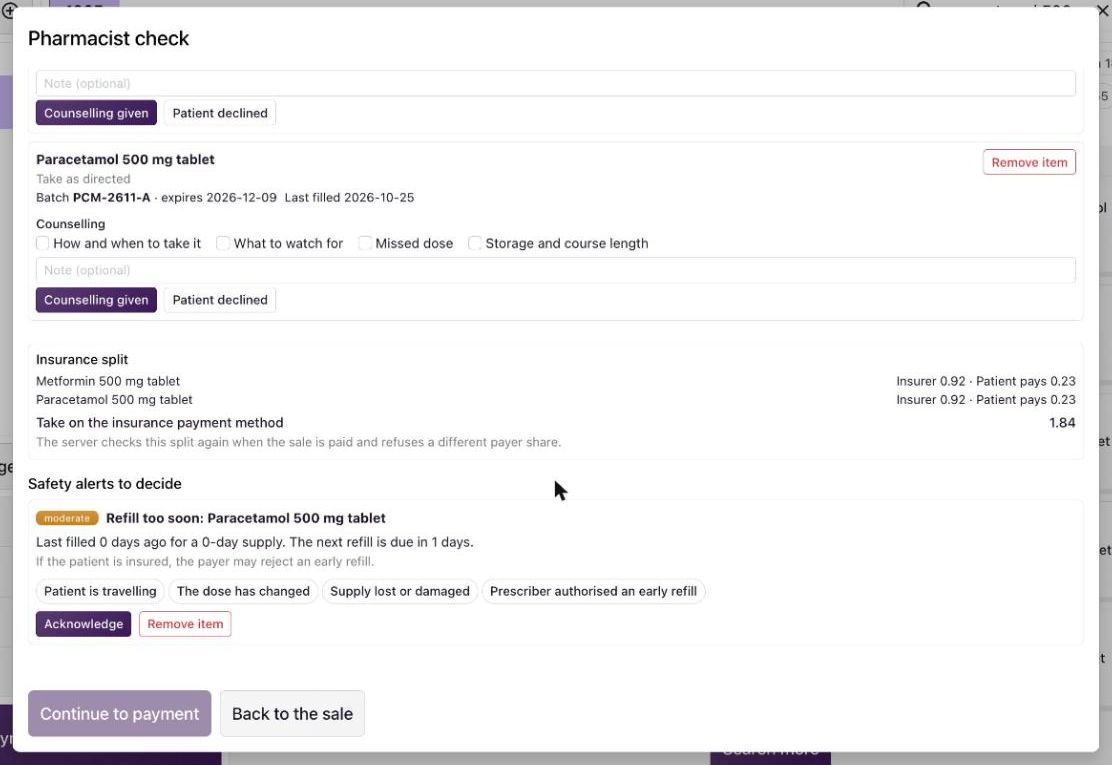
- Read the alert: its severity, title, message and what to do about it.
- Choose one reason, for example Prescriber authorised an early refill. Some reasons ask for a short note.
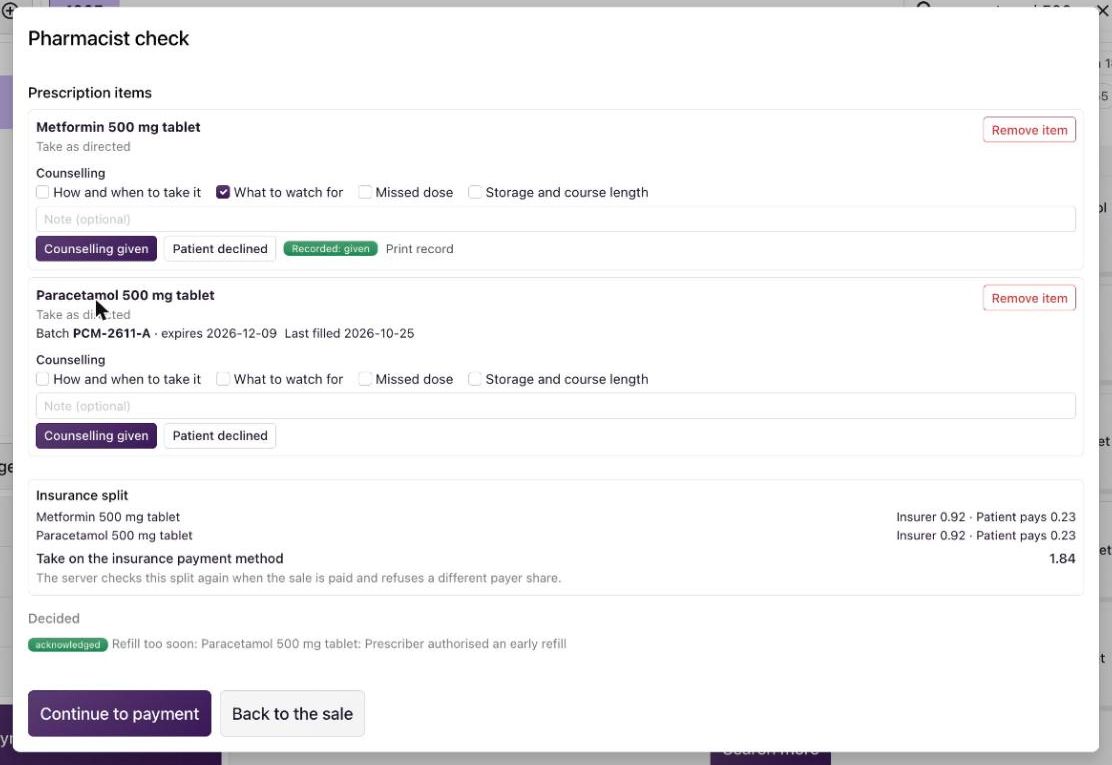
- Select Acknowledge (a moderate alert) or Override (a major alert). The alert moves to Decided with your name and the reason.
- Or select Remove item to take the medicine out of the sale.
- When every alert is decided, select Continue to payment.
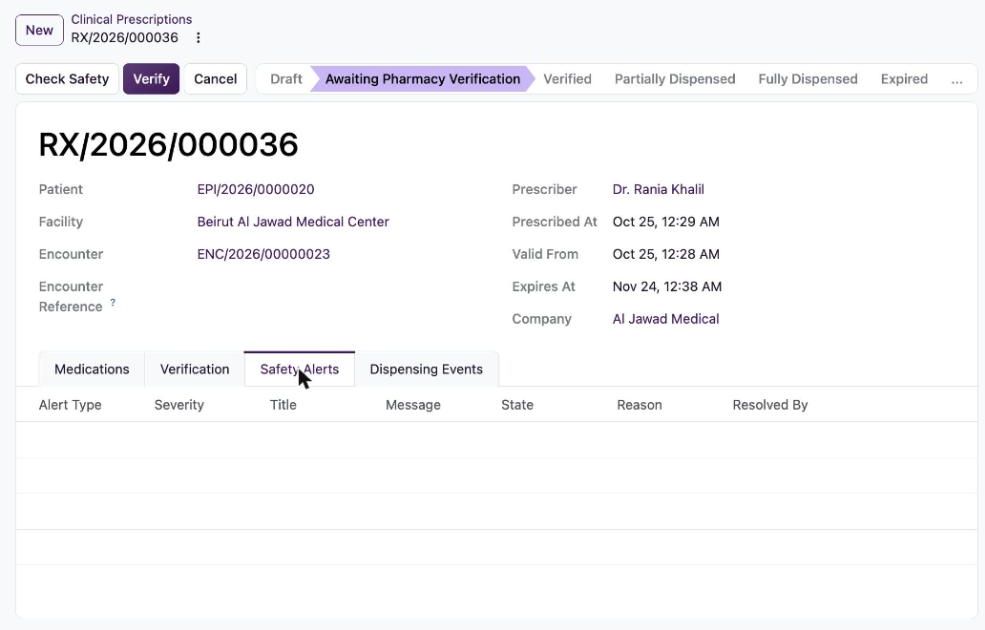
The same checks run when a pharmacist verifies a prescription. On the prescription, Check Safety runs them and the Safety Alerts tab lists what was found.
Good to know
- A medicine that needs a prescription and has none linked is listed under Needs a prescription. Close the check, choose the patient and use Link Rx, or remove the item.
- Each decision is stored with the person, the time, the reason and the version of the rule behind it. Supervisors review them under Pharmacy → Safety Alerts.
- The insurance split shows what the insurer and the patient pay. The server checks it again at payment and refuses a different payer share.
- The check needs a live connection. If it cannot run, follow your approved downtime procedure.
Related topics
Was this helpful?
Thank you. Your feedback is recorded.Thank you. Tell us what is missing so we can fix this guide.
Report an issue with this guide