
Manage the pharmacy formulary
Available to
Pharmacy managers and configuration managers.The formulary is the list of medicines that can be prescribed. It is built in three layers: ingredients, formulations (a medicine in a dose form), and formulary items (a product allowed for use).
Add a medicine
- Open Pharmacy → Configuration → Ingredients and add each active ingredient with its Name and Code.
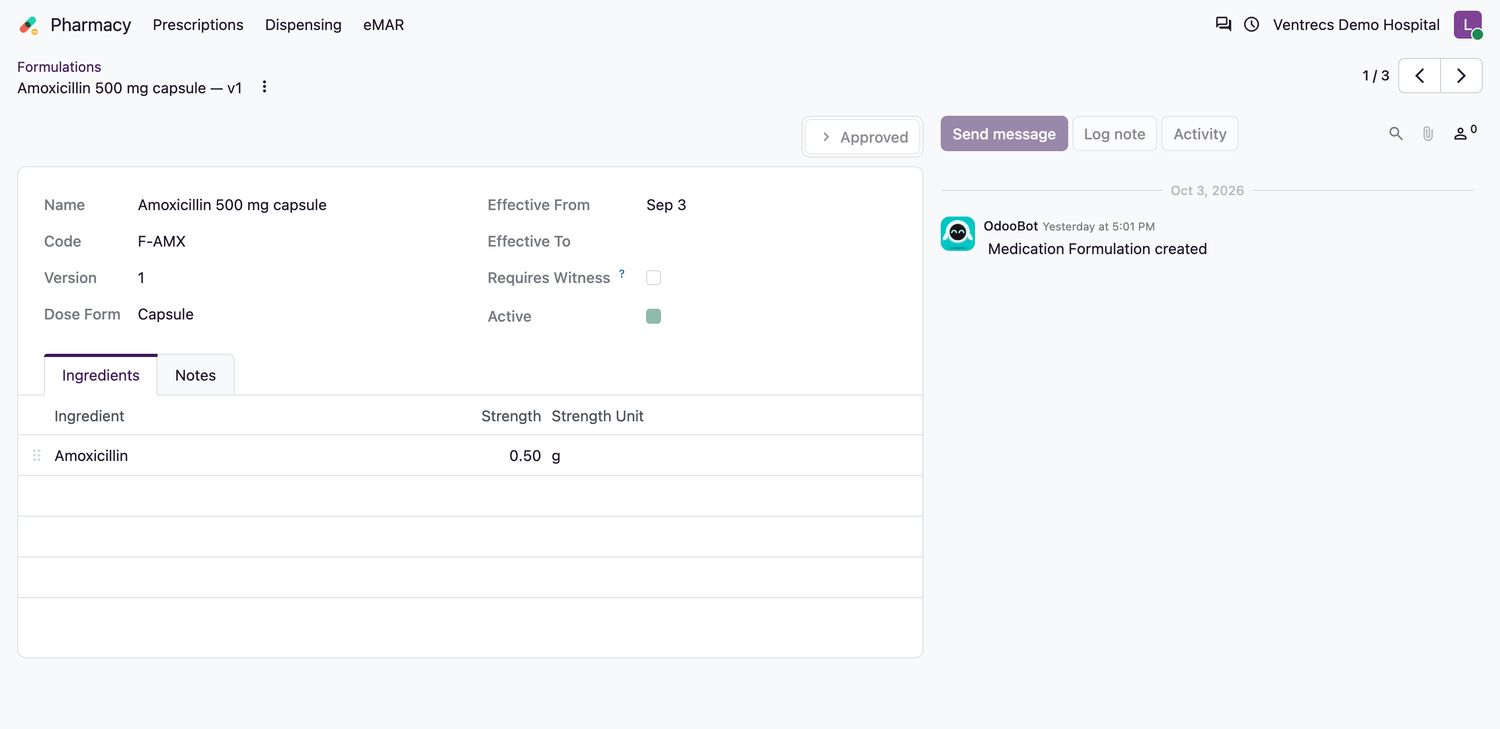
- Open Formulations and select New. Enter the Name, Code, Dose Form (Tablet, Capsule, Solution, Suspension, Injection, Cream / Ointment, Inhalation, Drops or Other) and the Effective From date.
- On the Ingredients tab add each ingredient with its Strength and Strength Unit. A strength must be greater than zero.
- Select Approve. A formulation cannot be approved without an ingredient.
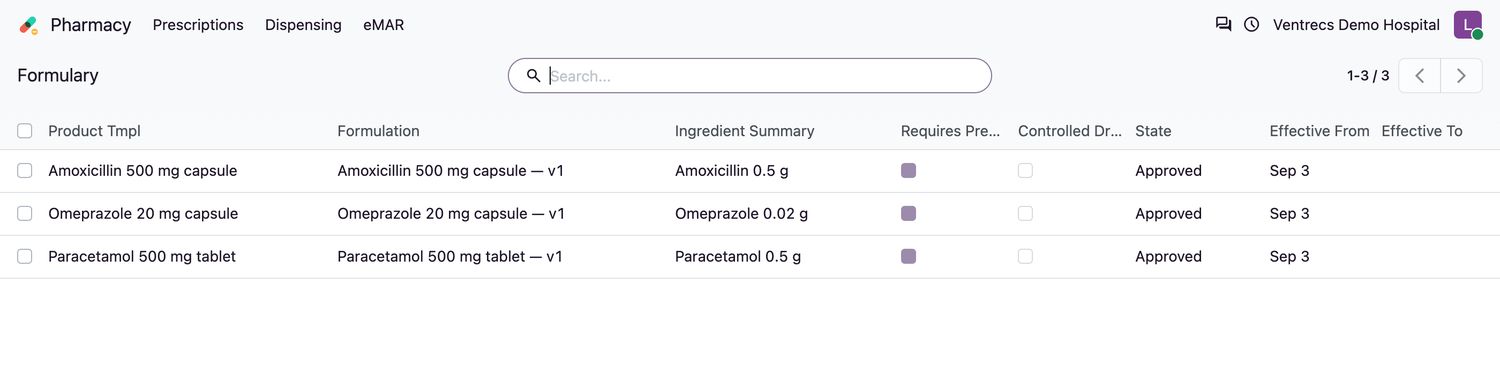
- Open Formulary and select New. Choose the Product Tmpl and the approved Formulation. Set Requires Prescription, Controlled Drug and Allow Substitution, add clinical notes, and enter Effective From.
- Select Approve. The product can now be prescribed.

Good to know
- Approved content is versioned. To change it, use Retire and then New Revision, rather than editing in place.
- Two approved formulary items for the same product cannot overlap in time.
- Routes and frequencies are maintained under Pharmacy → Configuration → Administration Routes and Frequencies.
Related topics
Was this helpful?
Thank you. Your feedback is recorded.Thank you. Tell us what is missing so we can fix this guide.
Report an issue with this guide