
Load a drug register and review medicines
Available to
Pharmacy managers and pharmacy directors.A country's list of registered medicines can be loaded as products, so the counter finds a medicine by brand or by ingredient from day one. Loading adds what is missing and never changes a record that already exists, so prices, approvals and edits survive an upgrade. The Lebanese register is installed with the system. The same loader takes a United Arab Emirates list when you hold one.
One row of a register becomes the medicine's ingredients with their strengths (a name already in the list is reused), its ATC class, one approved formulation shared by every brand of the same ingredients, strengths and dose form, and a product for the brand: tracked by batch and expiry, available at the counter, sold at the pharmacy.
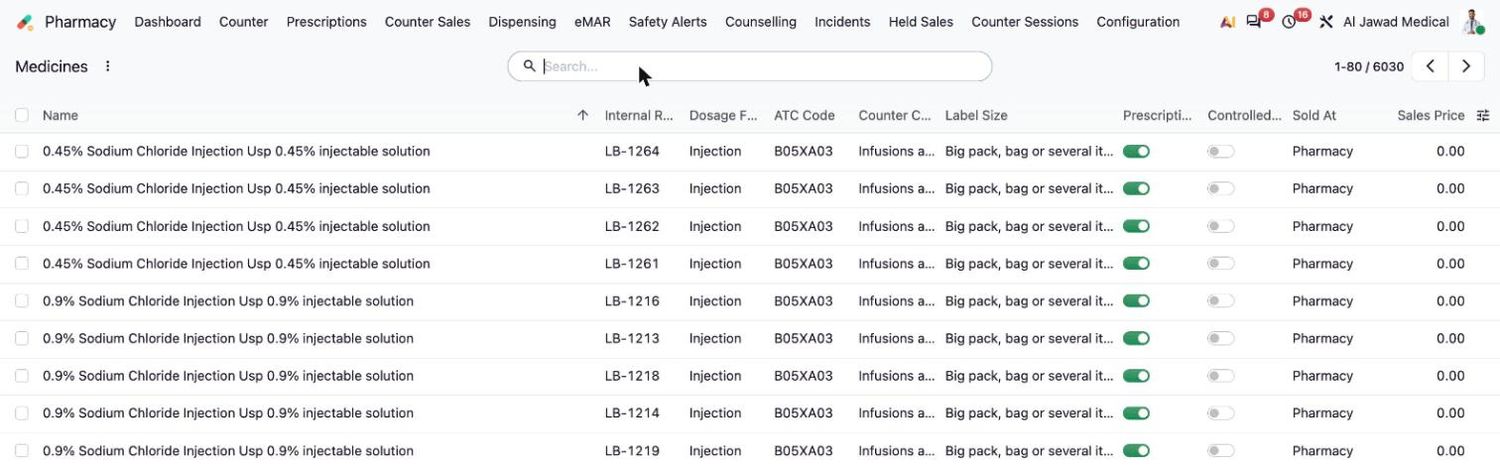
Review the medicines
- Open Pharmacy → Configuration → Medicines. Each row is one medicine. Search by name or ingredient.
- Change what needs reviewing in the row: Prescription Required, Controlled Medication, ATC Code, Counter Category, Label Size or Sold At. Select Save.
- Set the selling price and receive stock with batch numbers and expiry dates. A loaded medicine has a price of 0 and no stock.
Load another country's register
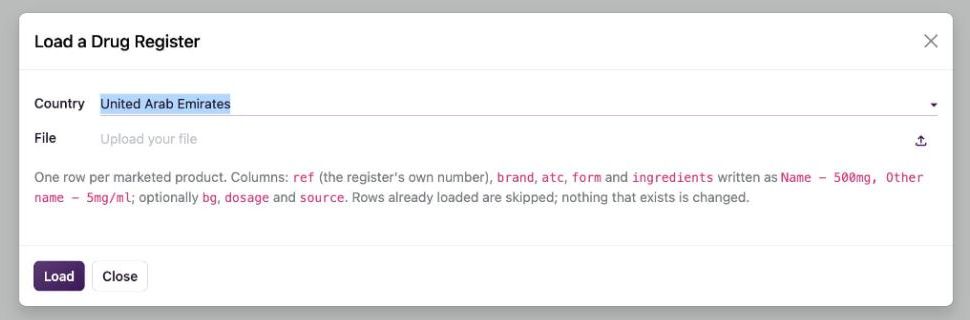
- Open Pharmacy → Configuration → Load a Drug Register.
- Choose the country and upload the file.
- Select the load button. The result shows what was added. Rows already loaded are skipped, so the same file can be loaded again after an update.
Good to know
- The file has one row for each marketed product. The columns
ref(the register's own number),brand,atc,formandingredientsare required;bg(brand or generic),dosageandsourceare optional.ingredientsis writtenName - strength, Other name - strength. - The register's own number becomes the product's internal reference, with the country as a prefix.
- Prices of a register are not loaded. Set your own price or load a price list.
- Medicines are not added to the hospital formulary. Prescribers can prescribe only what the formulary approves, which is a local decision. See Manage the pharmacy formulary.
Related topics
Was this helpful?
Thank you. Your feedback is recorded.Thank you. Tell us what is missing so we can fix this guide.
Report an issue with this guide