
Release results to patients
Available to
Registration officers (portal access, result links); laboratory and clinical staff (print results).Patients can see their results in the patient portal, or through a result link printed on a slip. Both apply the same release rules, so results go out only when they are safe to release.
What controls release
| Rule | Effect |
|---|---|
| Release delay | A result is shown only after the facility's configured delay since it was verified. |
| Final only | Only final laboratory results and signed imaging reports are released. |
| Critical results | A critical result is held until a clinician has acknowledged it, so the patient is called first. |
| Hidden tests | Tests marked "Never Show on Portal" (for example HIV or genetic tests) are disclosed only in person. |
| Sensitive patients | Results of sensitive patients are disclosed in person only. No result link can be issued. |
| Facility switches | A facility chooses whether laboratory, imaging and medication information appear on the portal. |
Authorise portal access
- Open the patient's record. Verify at least one identity document, and make sure the patient has an email address.
- Select Authorise Portal Access. Only a registration officer or a manager can do this. A deceased patient cannot have portal access. Revoke Portal Access withdraws it.
Issue a result link
- Open the resulted laboratory or imaging order.
- Select Print Result Slip. This creates a result link for that one order and prints the slip with a link and a PIN. They are shown once, on the slip.
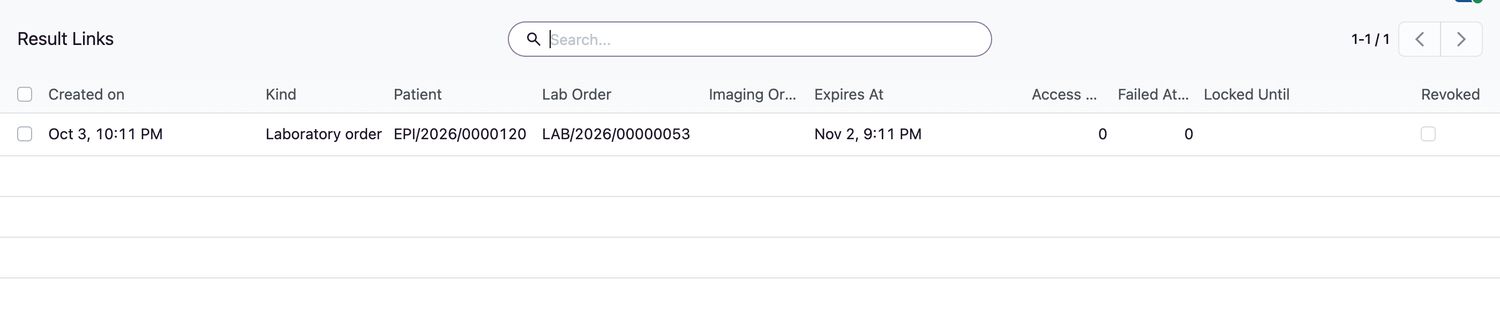
- Give the slip to the patient. To follow up, open Patients → Result Links. The list shows when each link expires, how often it was used, failed attempts and whether it is locked.
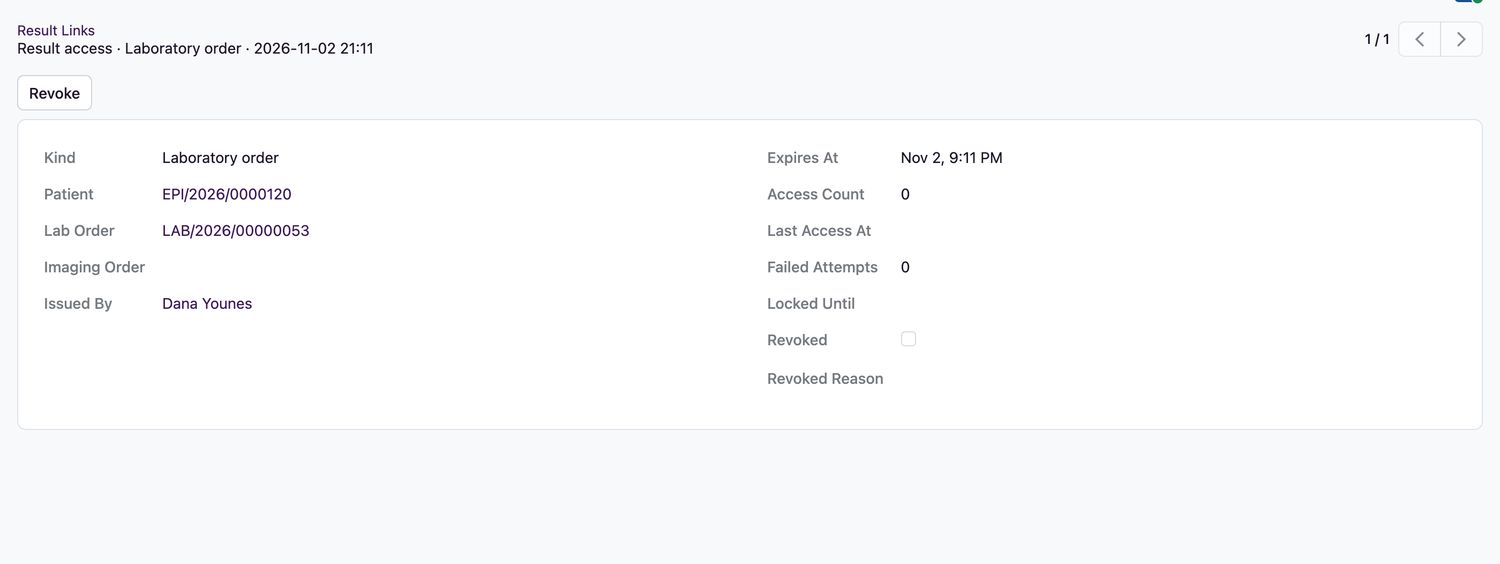
- To withdraw a link, open it, enter the Revoked Reason and select Revoke.
Related topics
Was this helpful?
Thank you. Your feedback is recorded.Thank you. Tell us what is missing so we can fix this guide.
Report an issue with this guide