
Acknowledge a critical result
Available to
Clinicians; laboratory users to follow up.A critical result is one the clinician must act on quickly. The notification stays open until the recipient acknowledges it, or the laboratory escalates it.
Close the loop
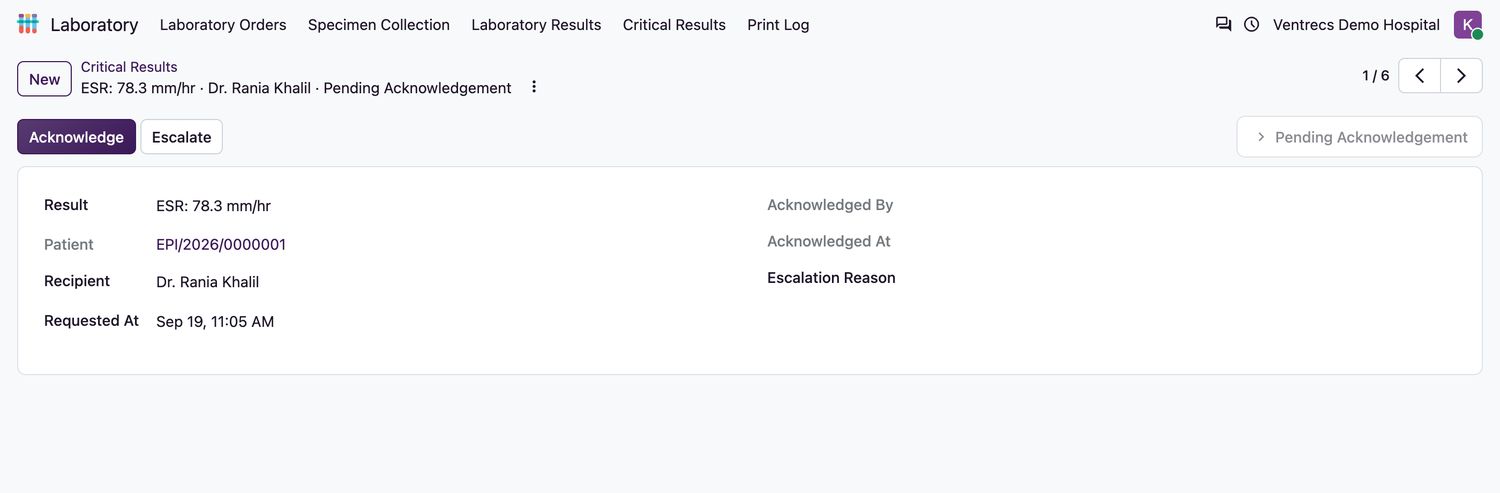
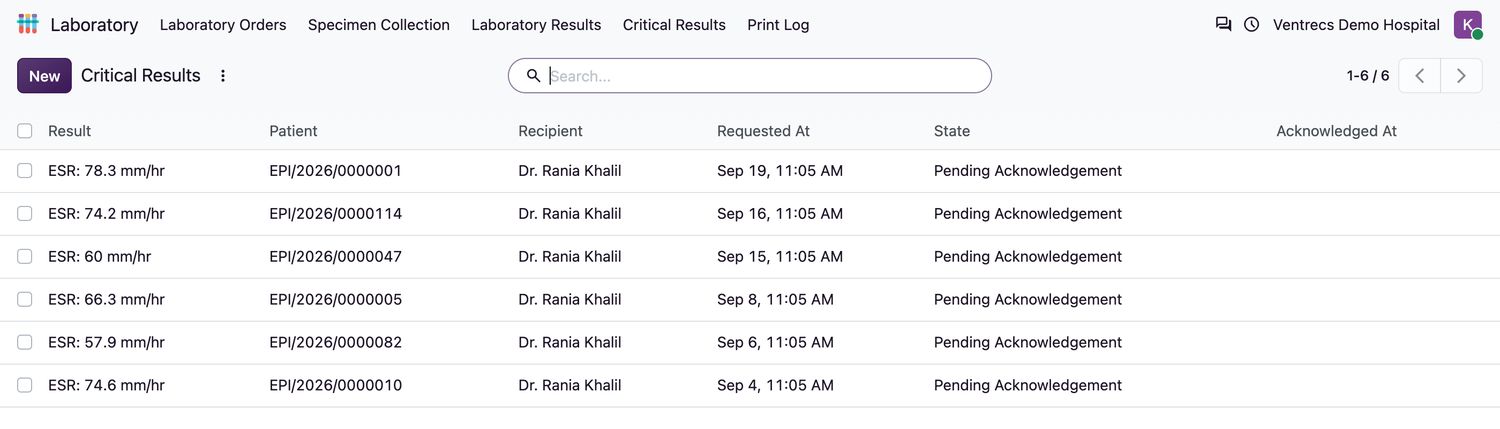
- Open Laboratory → Critical Results. The list shows each result, patient, recipient and state.
- Select a notification in
Pending Acknowledgement. - Read the result and act on it. The recipient is the clinician who ordered the test.
- Select Acknowledge. The time and your name are recorded.
- If the recipient cannot be reached, a laboratory user enters the Escalation Reason and selects Escalate. The state becomes
Escalated.
Rules
- Only the designated recipient or a manager can acknowledge.
- Only a pending notification can be acknowledged or escalated.
- Results are not released to the patient portal while a critical result is unacknowledged.
Related topics
Was this helpful?
Thank you. Your feedback is recorded.Thank you. Tell us what is missing so we can fix this guide.
Report an issue with this guide