
Enter and verify laboratory results
Available to
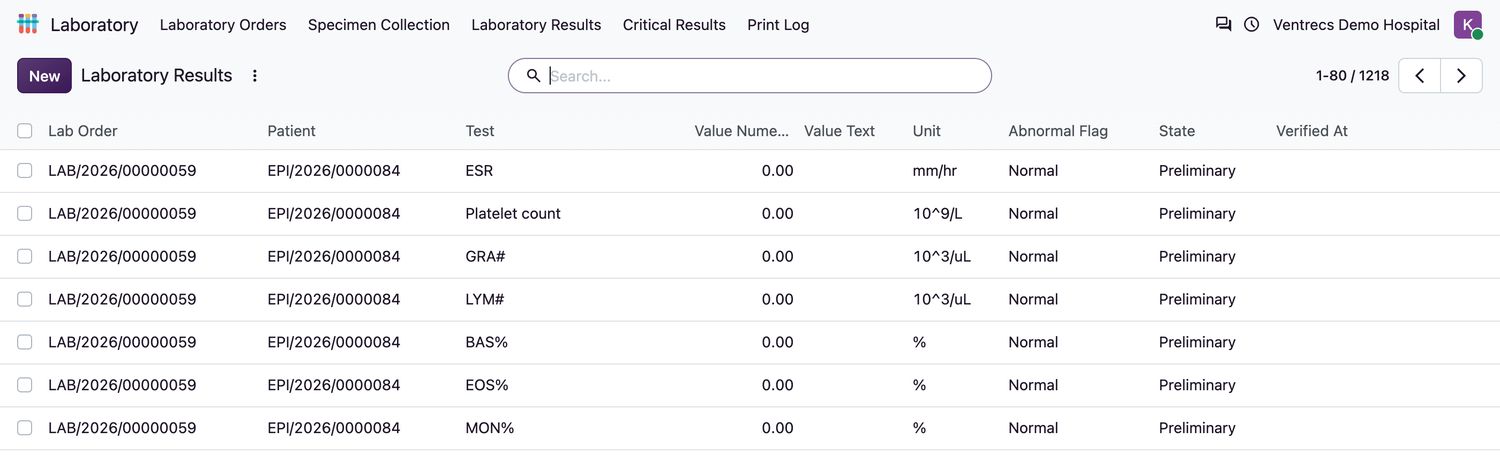
Laboratory users.Each test in an order has one result line. Results start as Preliminary and become Final when a laboratory user verifies them.
Enter and verify a result
- Open Laboratory → Laboratory Results and find the patient's order, or open the order and select its Results tab.
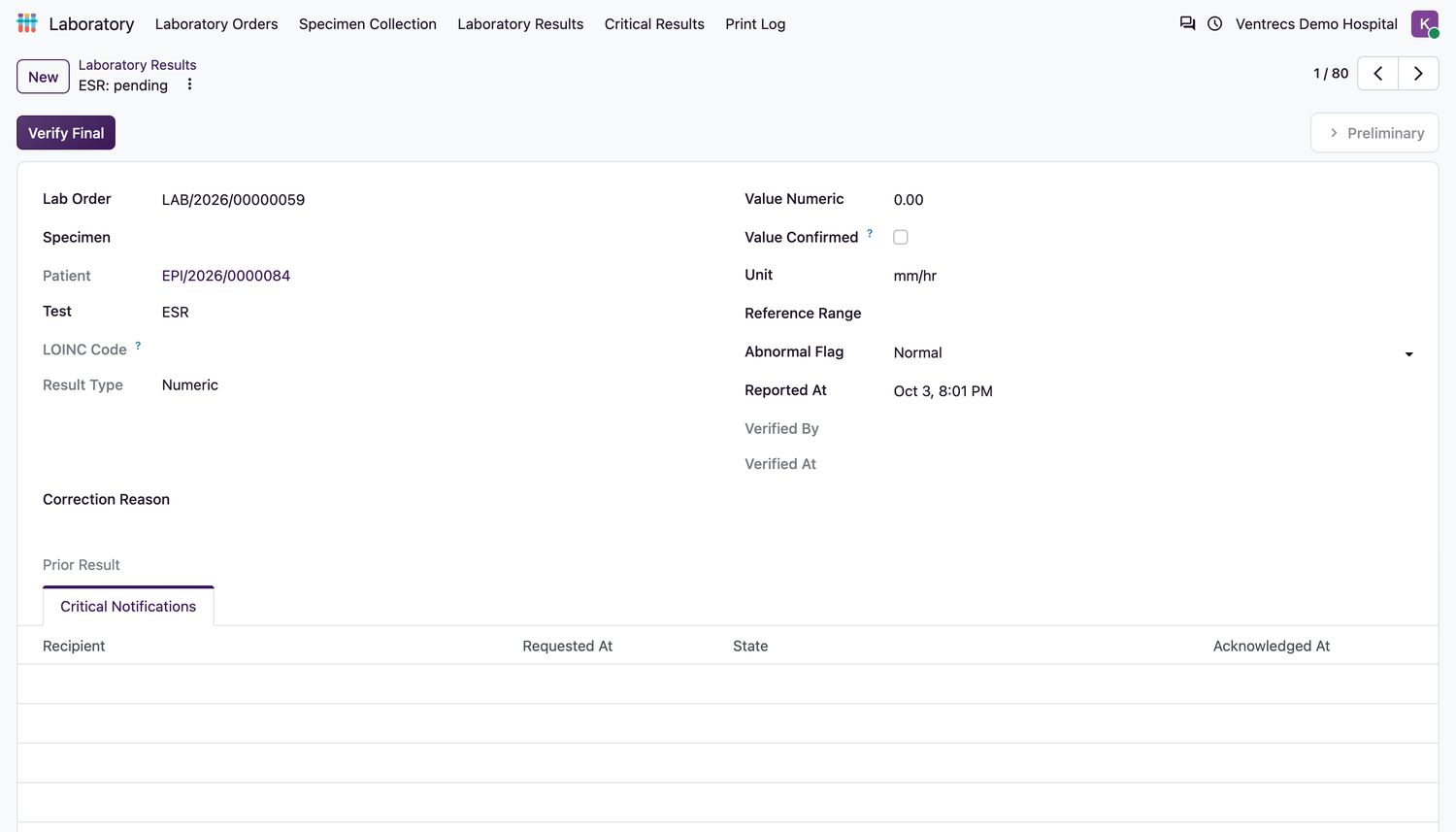
- Select a result line. Enter the Value Numeric, Value Text or Value Coded, depending on the Result Type. Check the Unit and Reference Range.
- For a numeric value, tick Value Confirmed after re-reading the value you typed.
- Check the Abnormal Flag: Normal, Low, High, Abnormal or Critical.
- Select Verify Final. The result is signed with your name and the time, and added to the patient's timeline.
Result states
| Result state | Meaning |
|---|---|
Preliminary | Entered but not verified. Not released as final. |
Final | Verified. It can no longer be edited or deleted. |
Corrected | Replaced by an amended result. |
Cancelled | The order was cancelled before verification. |
Correct a final result
To correct a final result, open it, enter the Correction Reason and select Correct. The old result becomes Corrected, and a new preliminary result linked to it opens for editing.
When the last preliminary result of an order is verified, the order becomes Resulted.
Related topics
Was this helpful?
Thank you. Your feedback is recorded.Thank you. Tell us what is missing so we can fix this guide.
Report an issue with this guide