
Create a referral
Available to
Clinicians.A referral sends a patient to another department or provider, with the relevant history. The consultant's reply is recorded on the same record.
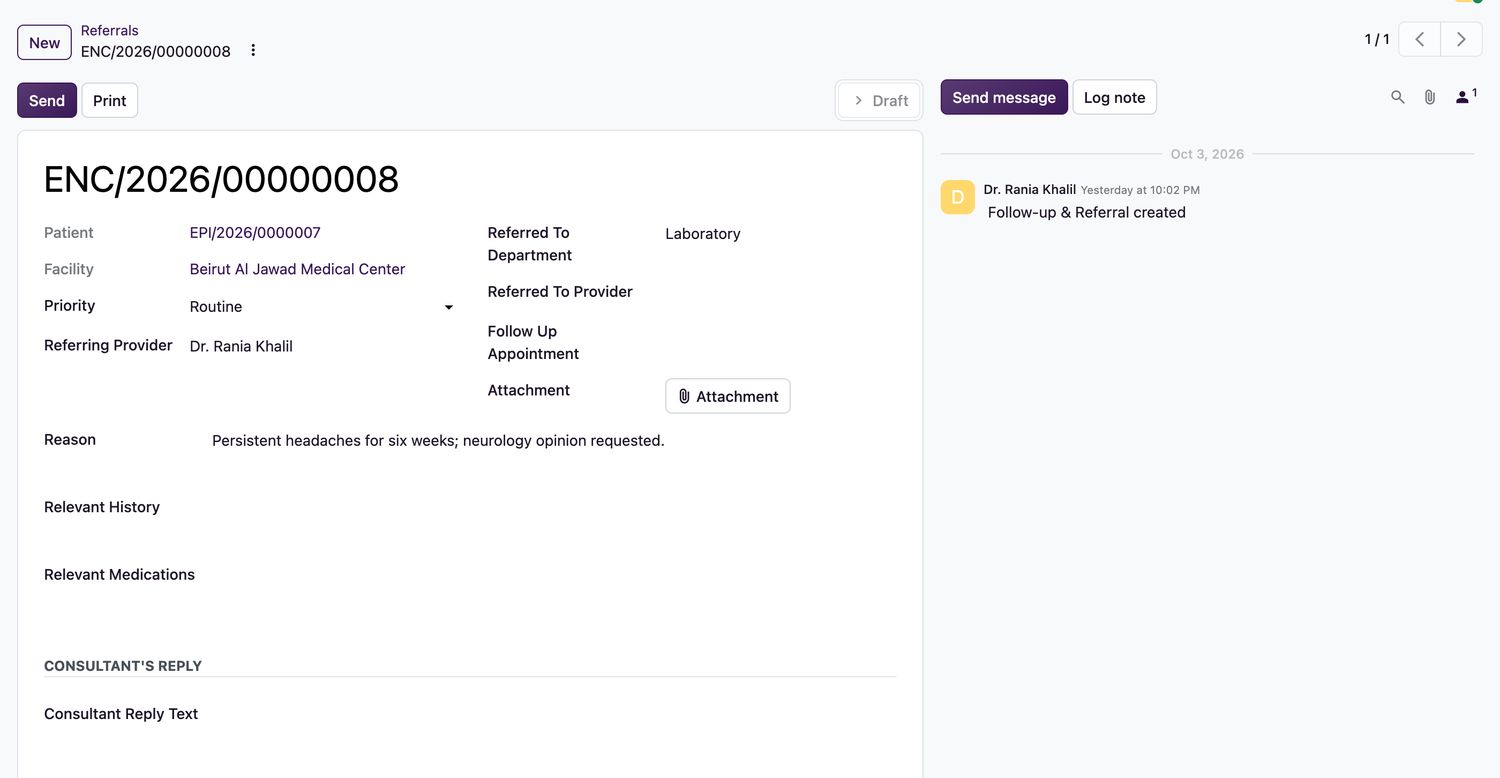
Refer a patient
- Open the encounter and select Referral, or open Documents → Referrals and select New.
- Set the Priority. Choose the Referred To Department (it must belong to the encounter's facility) and, if outside, enter the Referred To Provider.
- Enter the Reason for the referral, the Relevant History and Relevant Medications.
- Link a Follow Up Appointment if one is booked, and attach any document.
- Select Send, then Print if the patient takes a copy.
- When the consultant replies, enter the Consultant Reply Text and select Record Reply.
Referral states
| State | Meaning |
|---|---|
Draft | Being written. |
Sent | Sent to the department or provider. |
Replied | The consultant's reply is recorded. |
Related topics
Was this helpful?
Thank you. Your feedback is recorded.Thank you. Tell us what is missing so we can fix this guide.
Report an issue with this guide