
Handle portal appointment requests
Available to
Registration Officer and authorised patient-administration users.Patients with portal access can ask for an appointment online. Each request arrives as a record that registration staff answer.
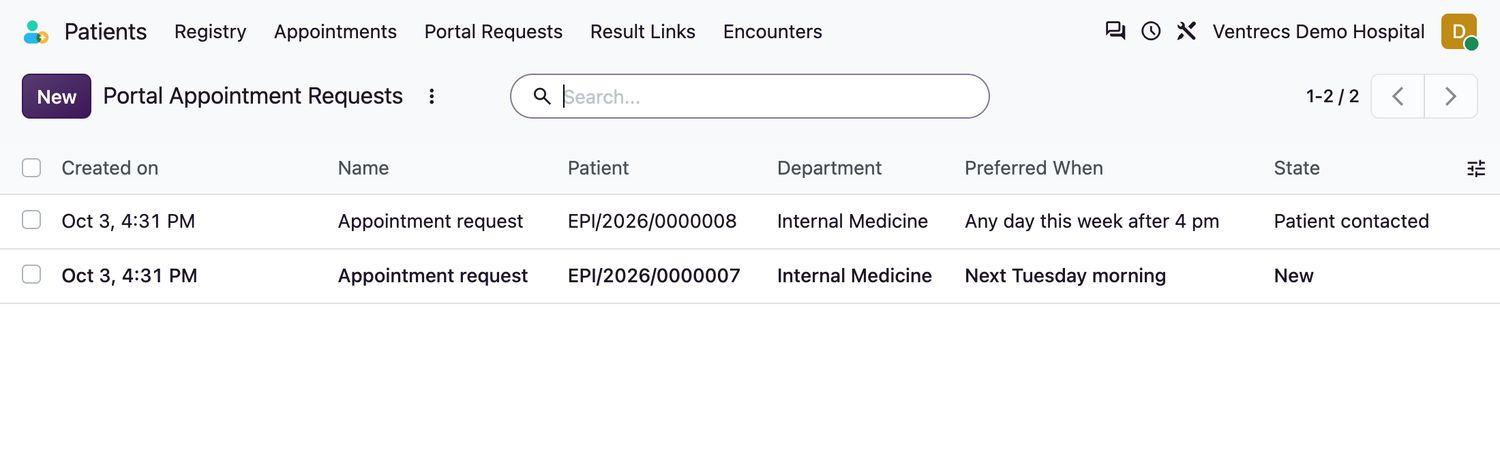
Respond to a request
- Open Patients → Portal Requests.
- Open a request. Read the Reason, the Preferred When and the contact phone number.
- Contact the patient. Select Patient Contacted to record it.
- Book the appointment (see Schedule and manage appointments), link it to the request, then select Mark Booked.
- If the clinic cannot offer a visit, add a note for the patient and select Decline.
Good to know
- A request needs a reason of 5 to 2000 characters, and a patient can have only a limited number of open requests at once.
- Portal access itself is authorised by registration staff on the patient record (Authorise Portal Access). It needs a registered email address and at least one verified identity document, and it cannot be given to a deceased patient.
Related topics
Was this helpful?
Thank you. Your feedback is recorded.Thank you. Tell us what is missing so we can fix this guide.
Report an issue with this guide