
Handle urgent access and sensitive records
Available to
Users whose role and local policy permit emergency access.Some patients are marked Sensitive or Highly Sensitive. Their records are closed to ordinary access. In a genuine emergency, an authorised clinician can request emergency access for a short time, with a reason that a privacy officer will review.
Request emergency access
- Open the patient. On a sensitive patient the Emergency Access button is shown.
- Select Emergency Access. A request opens for yourself and for the patient's facility.
- Choose the Purpose Of Use:
Emergency Treatment,Immediate Patient SafetyorLegal Requirement. - Set Duration Minutes (1 to 60) and write a meaningful Reason of at least ten characters.
- Select Activate Emergency Access. The record opens for you until it expires, and the activation is written to the audit trail.

Review (privacy officer)
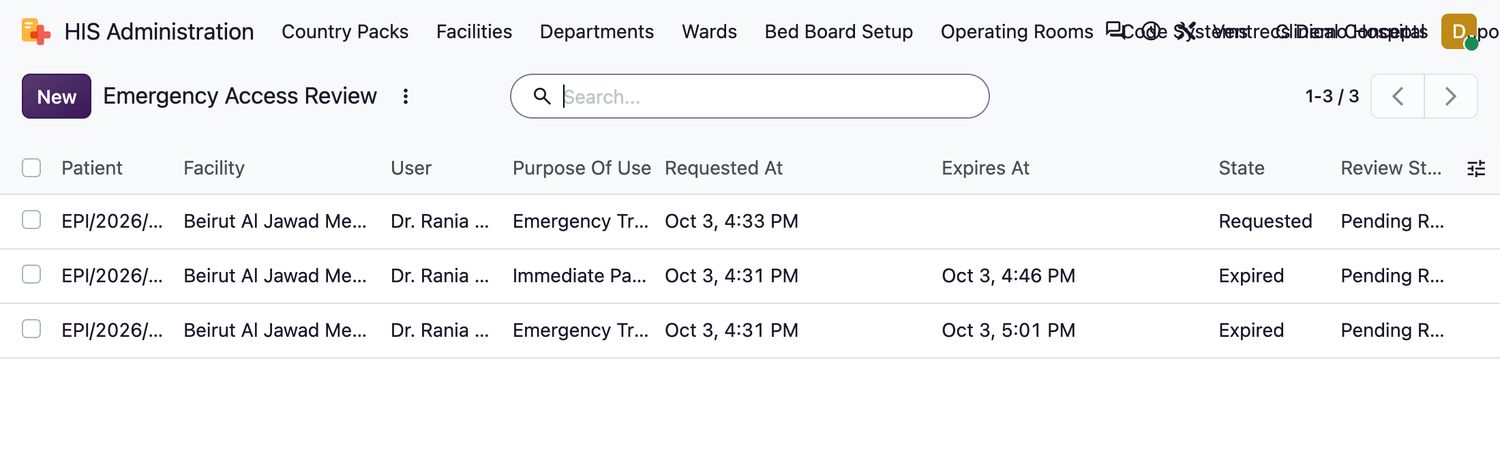
A privacy officer reviews every event: HIS Administration → Emergency Access Review. Open an event, read the reason, add a Review Note, and select Close Review. A privacy officer can also select Revoke on an active event to end it at once.
Related topics
Was this helpful?
Thank you. Your feedback is recorded.Thank you. Tell us what is missing so we can fix this guide.
Report an issue with this guide