
Record and sign a dental procedure
Available to
Dentists. Assistants can prepare a draft.A signed procedure is the only record that completes treatment. It states who did what, to which tooth and surface, with what anaesthesia and materials, and what the patient is told afterwards.
Record a procedure
- On the accepted plan, select Record procedure on the item, or open Dental → Procedures and select New.
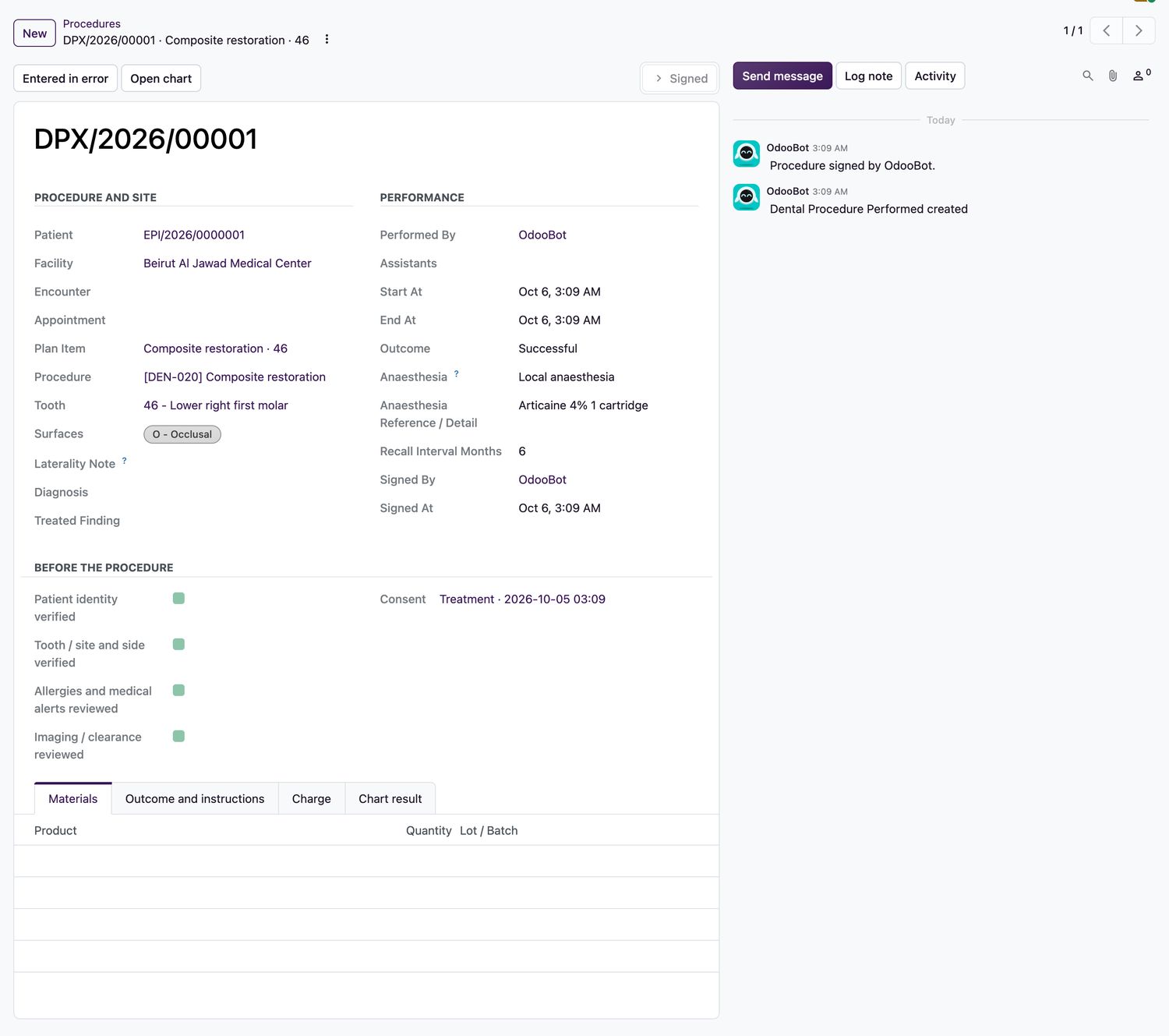
- Check the Procedure and Site: the tooth, the surfaces, and the laterality note.
- Complete Before the procedure: patient identity verified, tooth, site and side verified, allergies and medical alerts reviewed, and imaging or clearance reviewed.
- For an irreversible procedure, a valid, signed consent that is in effect is required. A minor needs the guardian's signature.
- Enter Performed By, assistants, start and end time, Outcome, Anaesthesia and the Recall Interval Months.
- Add Materials with their lot or batch, and the patient's instructions on the Outcome and instructions tab.
- Select Sign procedure.
What signing does
- The signed procedure leaves its result on the chart, for example the crown or the root canal treatment, and updates the tooth status.
- It adds a charge to the encounter invoice, unless the work was sold on a confirmed sales order.
- If a recall interval is set, a recall is created.
- To withdraw a signed procedure, select Entered in error and give a reason.
Related topics
Was this helpful?
Thank you. Your feedback is recorded.Thank you. Tell us what is missing so we can fix this guide.
Report an issue with this guide