
Maintain the procedure catalogue, care panels and country profiles
Available to
Dental directors.The dental director keeps the lists the dentists choose from. Under Dental → Configuration there are Country Profiles, the Procedure Catalogue, Care Panels, Finding Types, Teeth (FDI), Surfaces and Oral Regions.
Maintain a procedure
- Open Dental → Configuration → Procedure Catalogue and select a procedure.
- Set its Category and Scope, which decides the site that must be recorded.
- Tick Irreversible if it cannot be undone. Tick Needs Consent and Needs Imaging / Clearance Review where they apply.
- Choose the Service Product. Its price is the quoted price. Without a product the procedure cannot be quoted.
- Set what the procedure leaves on the chart (Chart Result), the findings it resolves and the Tooth Status After.
- Select Approve so that it can be used in production.


A care panel is a button that adds a bundle of plan items. Open Care Panels, add the lines and, if you want, limit the panel to some countries.

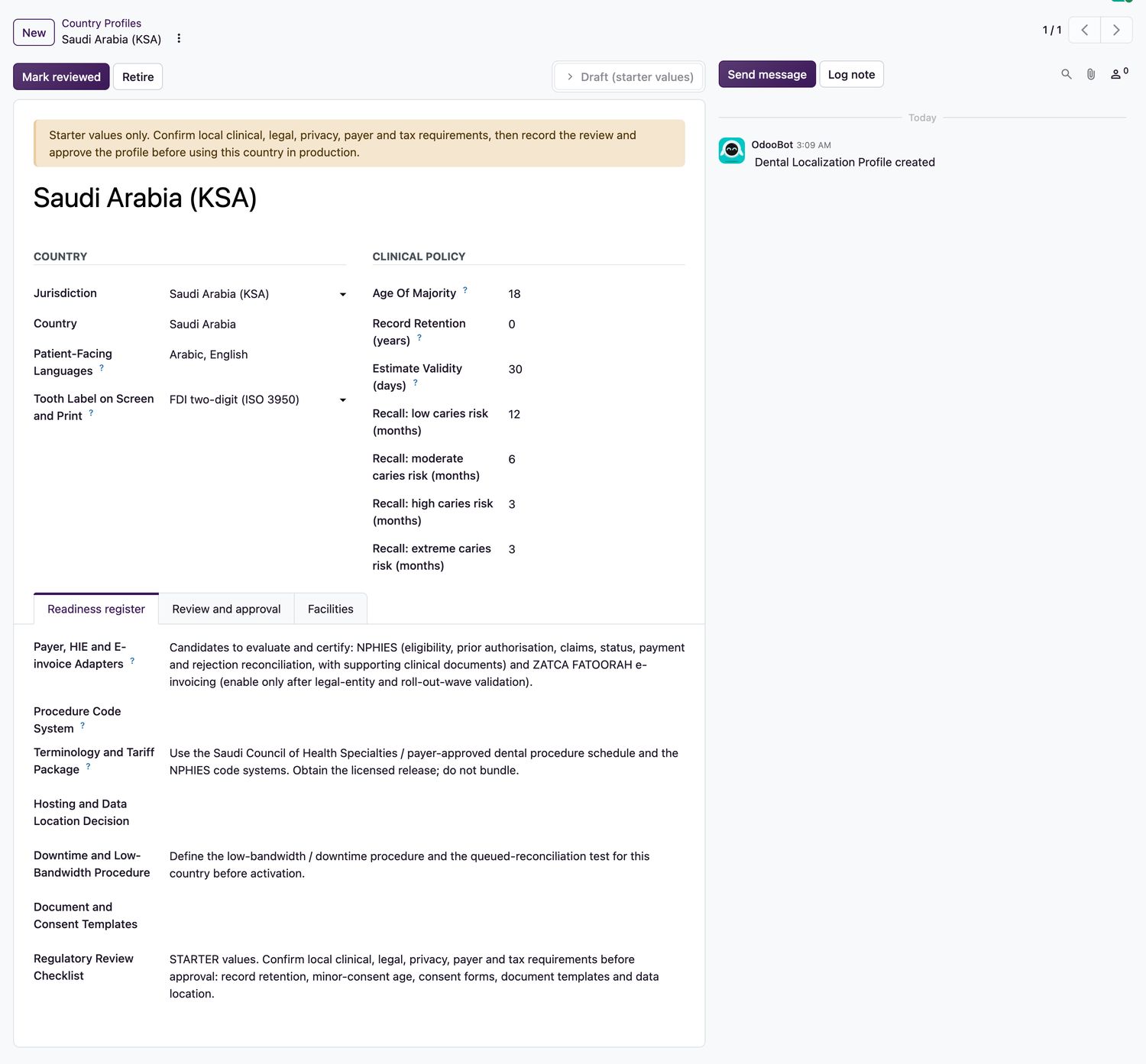
A country profile holds the tooth notation, languages, the age of majority for consent, recall intervals, how long an estimate stays valid and the readiness checklist. Review, then approve it with a note.
Related topics
Was this helpful?
Thank you. Your feedback is recorded.Thank you. Tell us what is missing so we can fix this guide.
Report an issue with this guide