
Build and approve a treatment plan
Available to
Dentists.A treatment plan is a proposal: the items you recommend, in the order of the visits, with an estimate. A plan or an accepted estimate is never treatment that has been done, and it is not payer approval.
Draft  →  Approved  →  Presented  →  Accepted  →  Partially completed  →  Completed
                              (Declined, Expired or Cancelled at any point before completion)
Build a plan
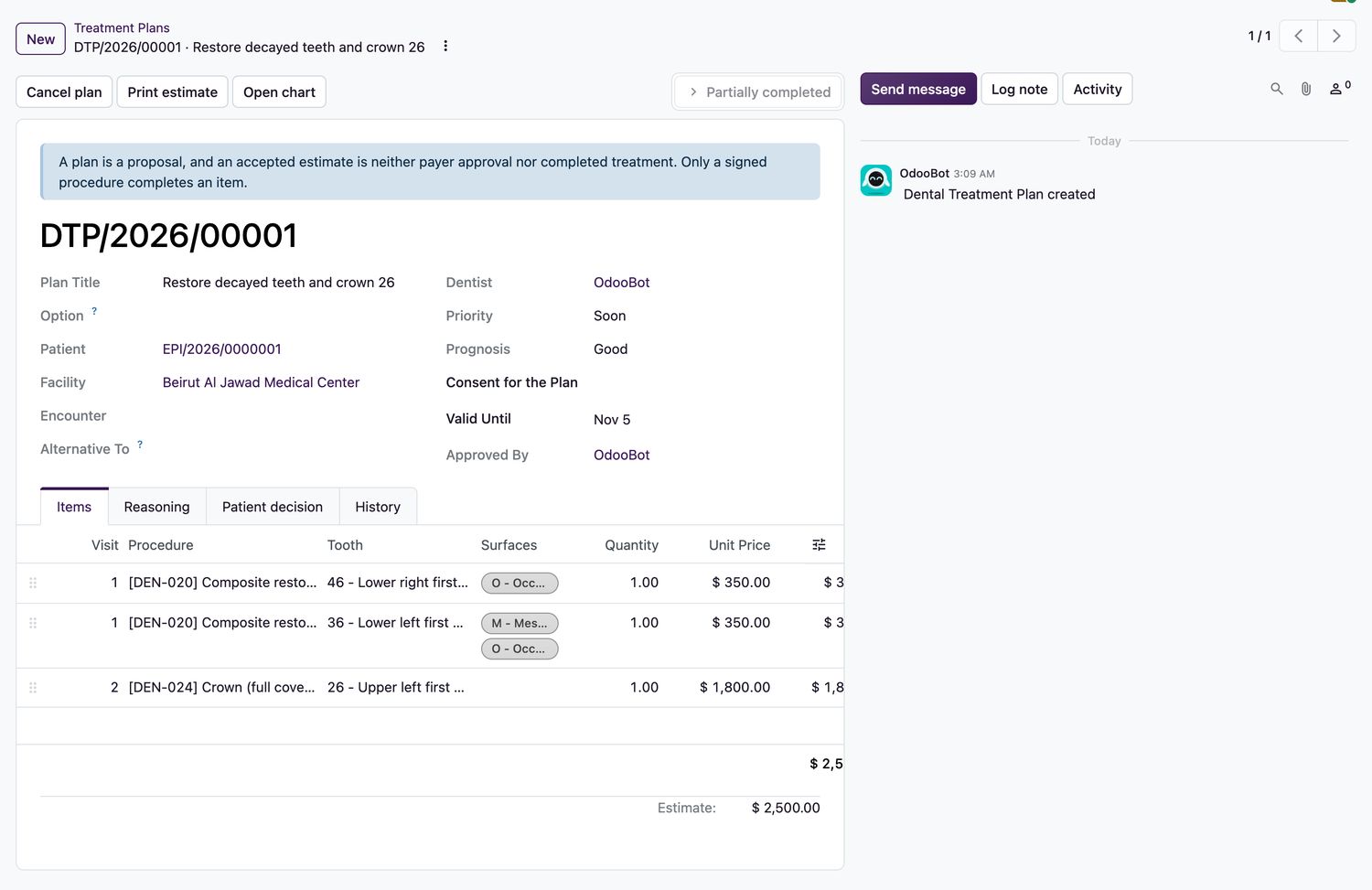
- Open Dental → Treatment Plans and select New, or chart treatment on the odontogram.
- Enter the Plan Title and choose the Priority and Prognosis.
- On the Items tab add a line for each procedure. Set the Visit, the Tooth and the Surfaces. The unit price comes from the procedure's service product.
- To offer a choice, create a second plan and set Alternative To. Accepting one declines the others.
- Select Approve clinically. The system checks every site and any imaging the procedure requires.
- Select Print estimate to give the patient the estimate.
Plan states
| Plan state | Meaning |
|---|---|
Draft | Being written. |
Approved | The dentist has approved it clinically. |
Presented | Shown to the patient. It is valid until the date on the plan. |
Accepted | The patient decided yes. The decision, who gave it and how are recorded. |
Partially completed | Some items have a signed procedure. |
Completed | Every item has a signed procedure. |
Related topics
Was this helpful?
Thank you. Your feedback is recorded.Thank you. Tell us what is missing so we can fix this guide.
Report an issue with this guide