
Present a plan and quote it through Sales
Available to
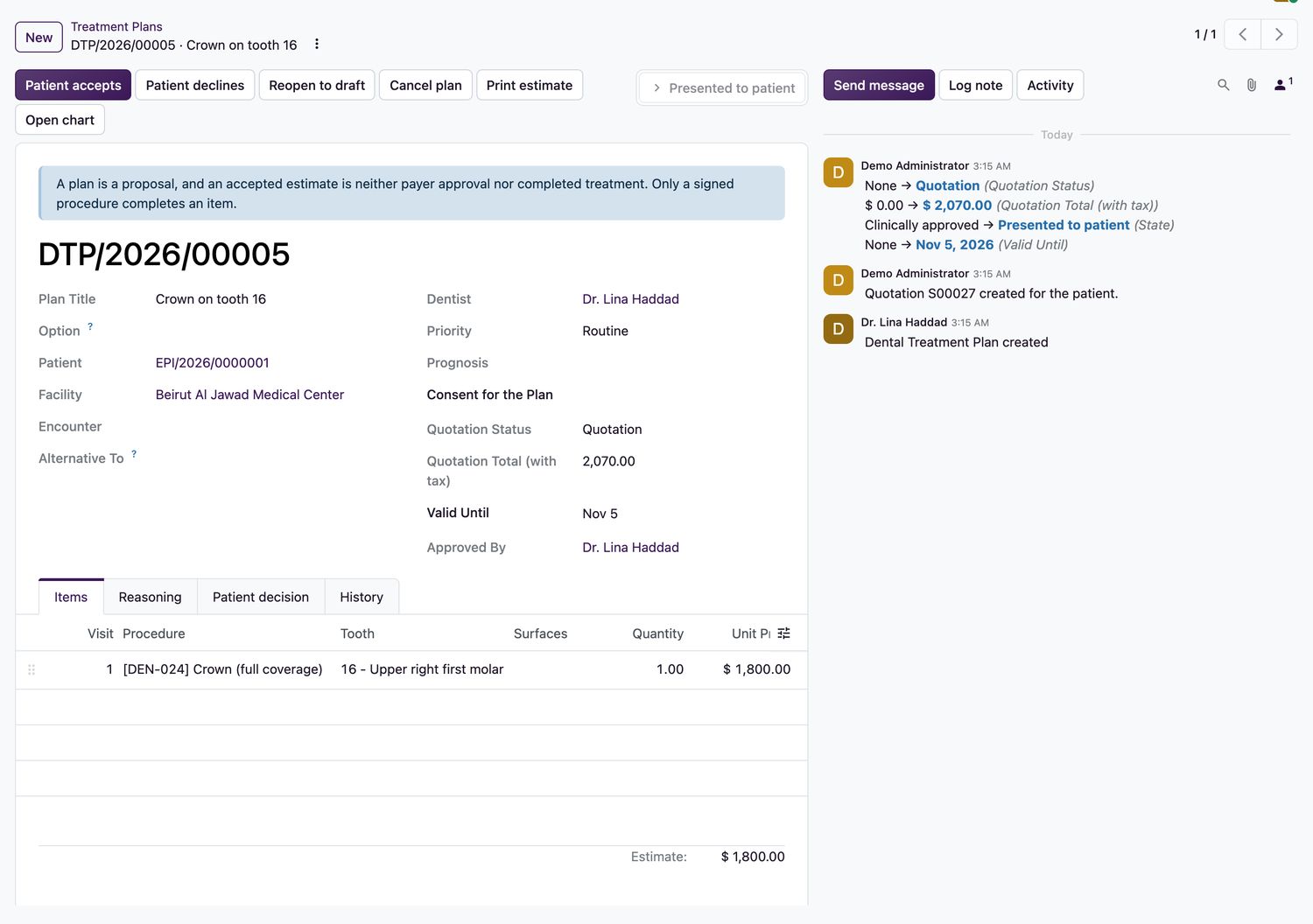
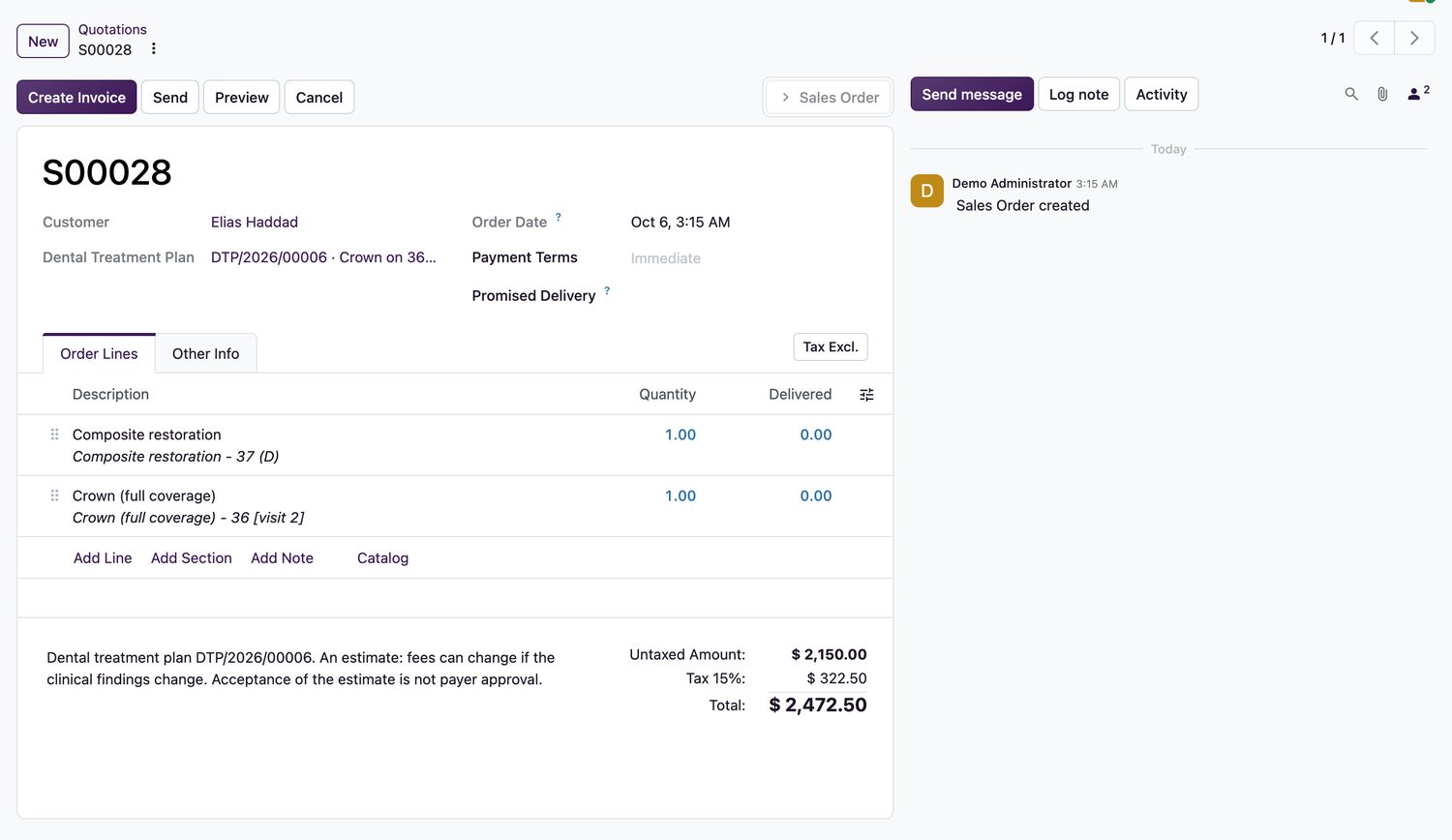
Dentists, reception and accounting.When dental quotations are installed, presenting a plan creates a quotation in Sales: one line for each plan item, at the quoted price, for the patient's contact. The patient's decision on the plan confirms the order. Invoicing and deposits then work as in Sales.
Quote a plan
- Approve the plan, then select Present to patient. A quotation is created and the plan shows its status.
- Users with Sales access can select Open quotation on the plan to see it.
- When the patient agrees, select Patient accepts. Enter who gave the decision and how: in person, signed form, guardian, patient portal or verbal, witnessed.
- The quotation becomes a confirmed sales order. A patient can also sign the quotation on the portal.
- To take a deposit before the work, select Request deposit on the plan. Sales opens its own down-payment window.
What to know
- A service product set to invoice on order can be billed, or part-billed, before the work. One set to invoice on delivery is billed when the dentist signs the procedure.
- Each signed procedure delivers its order line. Voiding unbilled work takes the delivery back. Work that is already invoiced needs a credit note.
- Declining, cancelling, letting the plan expire, reopening it or accepting an alternative cancels the quotation.
- Confirming the quotation by hand is refused. Only the patient's decision confirms it.
- Work sold on a confirmed order is not also charged to the encounter invoice. A plan with no quotation is charged to the encounter as before.
Insurance splits and payer evidence stay in the insurance and billing guides.
Related topics
Was this helpful?
Thank you. Your feedback is recorded.Thank you. Tell us what is missing so we can fix this guide.
Report an issue with this guide