
Manage approved clinical concepts
Available to
Configuration Manager and authorised clinical governance users.Every diagnosis, allergy and observation points to a concept in a code system, for example an ICD-10 code. A concept can be used for production coding only after it has been approved.
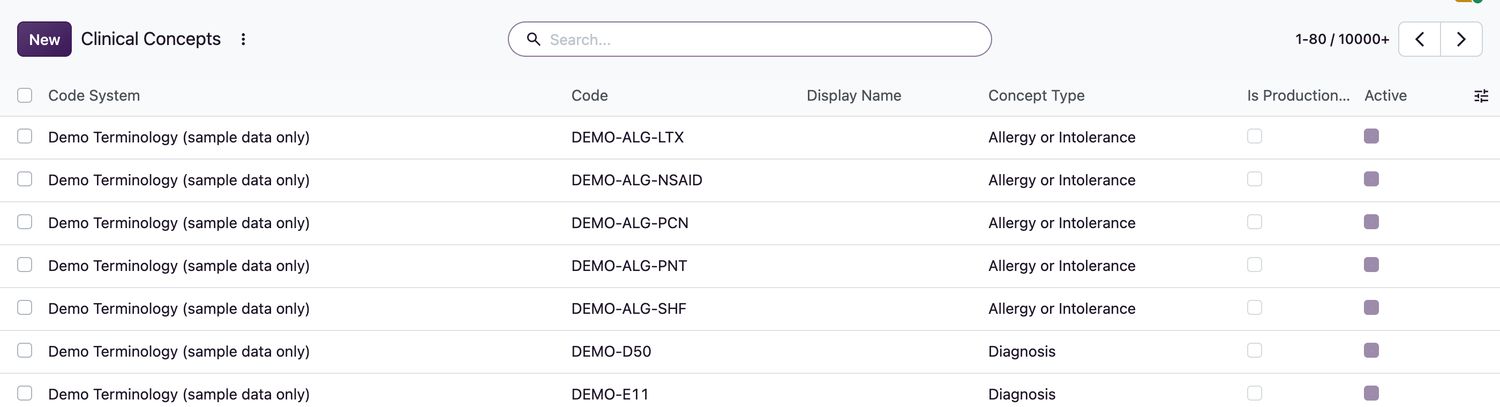
Review and add concepts
- Open HIS Administration → Clinical Concepts.
- Filter by Code System, Category or Type to find the concept, or use Not Approved to see what is waiting.
- Open a concept to check the Code, the Display Name, the Arabic Display and its Parent.
- To add a concept, select New, choose the Code System, enter the Code, the Display Name and the Concept Type (
Diagnosis,Allergy or Intolerance,Observation,Procedure,Specimen,UnitorOther). - Set Effective From (and Effective To if it will end). Tick Is Production Approved only after clinical governance has approved it.
Related topics
Was this helpful?
Thank you. Your feedback is recorded.Thank you. Tell us what is missing so we can fix this guide.
Report an issue with this guide