
Review a patient's clinical summary
Available to
Authorised clinical users.The patient record gathers the clinical picture in one place, so you do not have to open each list.
Review a chart
- Open the patient from Patients → Registry → Patient Registry.
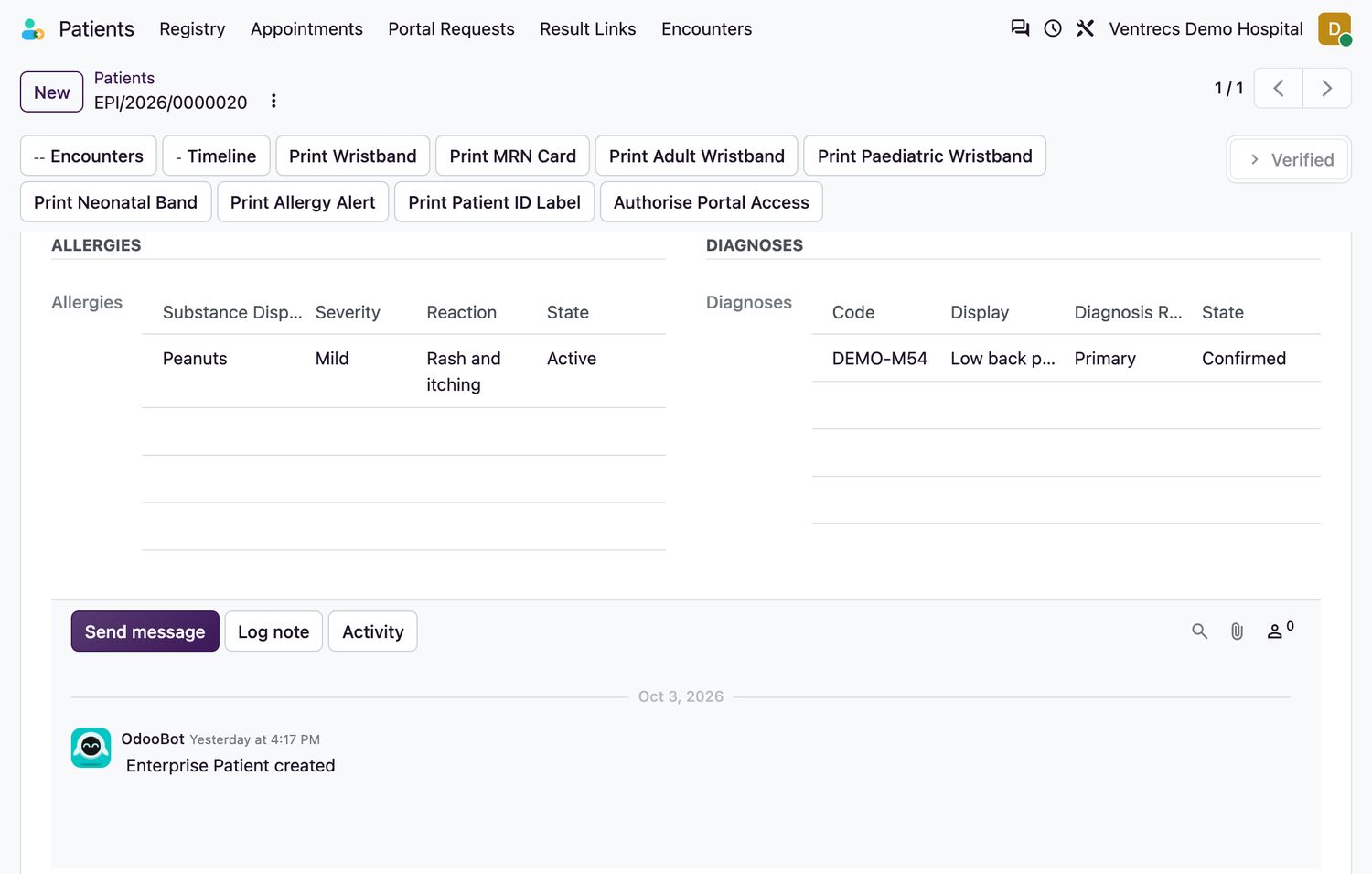
- Select the Clinical Summary tab to see current allergies and diagnoses.
- Select the Timeline button for everything, newest first.
- Select Encounters to see each episode of care and its state.
Related topics
Was this helpful?
Thank you. Your feedback is recorded.Thank you. Tell us what is missing so we can fix this guide.
Report an issue with this guide