
Record immunisations
Available to
Clinician, Nurse and authorised care users.An immunisation record documents each vaccine dose given, refused or not given, with the lot and expiry so that a recall can find every patient.
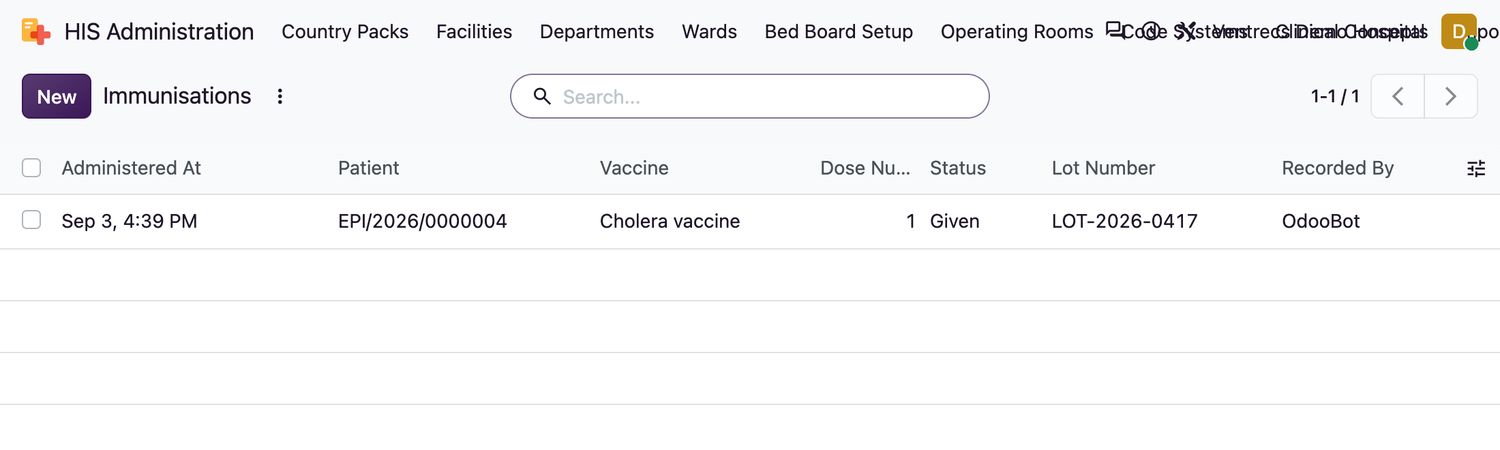
Record a dose
- Open Clinical → Immunisations and select New, or use the Immunisations tab on the patient.
- Choose the Patient, the Vaccine, the Dose Number and the Administered At time.
- Choose the Status:
Given,Refused,ContraindicatedorNot done. - For a dose that was given, enter the Lot Number, the Expiry Date, the Site (for example Left arm) and the Route (for example Intramuscular).
- Select Save.
Safety checks
- The system checks for a duplicate dose, the minimum age, the minimum interval since the previous dose, an expired vaccine and a missing lot. To proceed against a check, you must enter an Override Reason.
- Approved immunisation schedules produce a due / overdue list on the patient record.
- A wrong entry is marked Entered in error, never deleted.
Related topics
Was this helpful?
Thank you. Your feedback is recorded.Thank you. Tell us what is missing so we can fix this guide.
Report an issue with this guide