
Set up facilities and departments
Available to
Configuration managers.A facility is a hospital or clinic that holds its own patients and settings. Departments belong to a facility. Both are created under HIS Administration.
Configure a facility
- Open HIS Administration → Facilities and select New, or open an existing facility.
- Enter the Name, Code, Arabic Name, Facility Type and Company, and the Timezone.
- Enter the Facility Licence No. and the Licensing Authority.
- Set the portal options (see the table below).
- Set the billing options if the facility charges for services: Charge Services, the Default Payment Flow, and the consultation, laboratory and imaging charge triggers. See How services are charged.
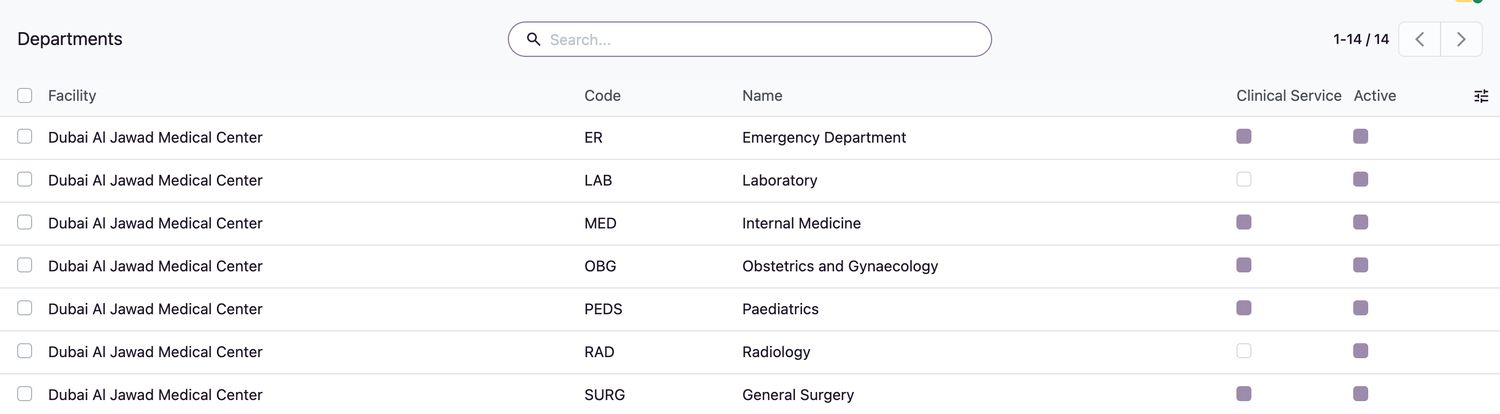
- On the Departments tab, or under HIS Administration → Departments, add each department with its Code, Name, Arabic Name, optional Parent, whether it is a Clinical Service, its Cost Center and Consultation Product.

Common facility settings
| Setting | Effect |
|---|---|
| Portal: Result Links (no login) | Lets staff issue result links on a printed slip. Also set Require Date of Birth and Validity (days). |
| Portal Result Release Delay (hours) | How long after verification a result is held before the patient can see it. |
| Portal: Laboratory Results, Imaging Reports, Medications | Which information the portal shows for this facility. |
| Portal: Appointment Requests | Whether patients can request appointments online. |
| Charge Services | Turns automatic charging on or off. |
| Minimum One Bed-Day, Charge Bed While on Leave | Accommodation charging rules. |
Related topics
Was this helpful?
Thank you. Your feedback is recorded.Thank you. Tell us what is missing so we can fix this guide.
Report an issue with this guide