
Apply a country pack
Available to
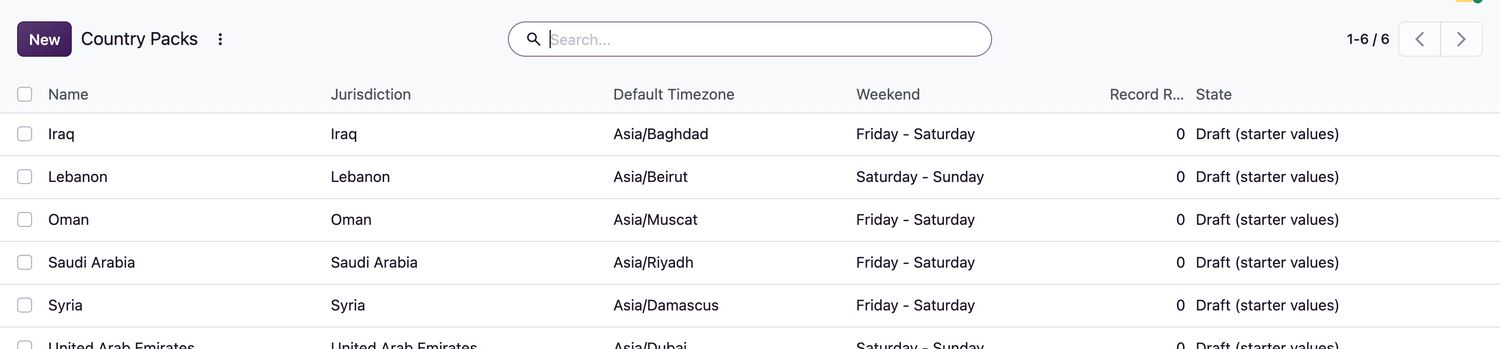
Configuration managers; HIS managers approve for pilot.A country pack holds the starter rules for a jurisdiction: time zone, weekend, retention period, claim format, blood screening markers and national ID formats. A pack is a controlled configuration, so it must be reviewed before it is applied.
Draft (starter values) → Reviewed → Applied to the company → Approved for pilot
Review and apply a pack
- Open HIS Administration → Country Packs and open the pack for your jurisdiction.
- Check the values against your regulations, in particular Record Retention (years), Claim Format, Blood Screening Markers and the National ID Rules.
- Enter the Review Note naming the sources and versions you checked, and select Mark Reviewed. A retention period must be set first.
- Select Apply to Company. The pack must be reviewed first.
- A HIS manager names the regulatory systems on the company and selects Approve Company for Pilot.
Good to know
- A reviewed pack cannot be edited. To change it, a HIS manager selects Reopen for Change to start a new review cycle.
- When a pack enforces national ID formats, a national ID number is checked against its format and check digit when it is entered.
- While the pack is approved, only procedures, tests and component types that are approved for production can be used in surgery, laboratory and the blood bank.
Related topics
Was this helpful?
Thank you. Your feedback is recorded.Thank you. Tell us what is missing so we can fix this guide.
Report an issue with this guide