
Transfuse a patient at the bedside
Available to
Nurses.Before a transfusion starts, two people check the patient and the unit independently. The record also tracks the time limit and the observations.
Transfuse
- Open Blood Bank → Bedside Transfusions and select New. Choose the Issue.
- First nurse: scan the patient's wristband and the unit number (Nurse 1 fields).
- Second checker: choose the Second Checker (a different person) and have them scan the wristband and unit number (Nurse 2 fields).
- If the transfusion starts later than allowed after issue, enter the Late Start Reason.
- Select Start Transfusion. The state becomes
In progress. - Record Observations during the transfusion.
- When done, enter the Volume Transfused Ml and select Complete. If you stop early, enter the Stop Reason and select Stop.
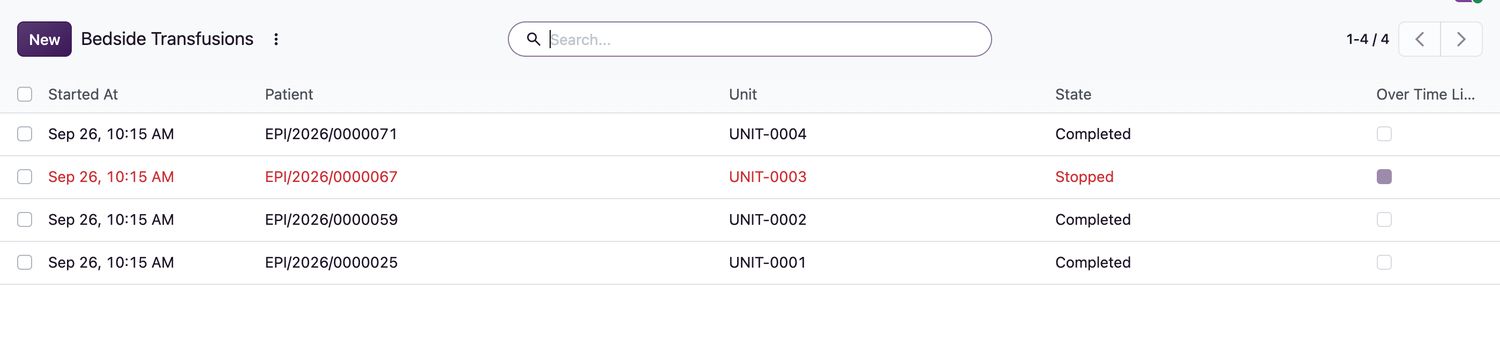
Transfusion states
| State | Meaning |
|---|---|
Pre-transfusion checks | Checks in progress. Nothing is running. |
In progress | The unit is being transfused. |
Completed | Finished. |
Stopped | Stopped early, with a reason. |
Rules
- Only nursing or clinical staff can transfuse.
- Transfusion records and observations cannot be deleted.
Related topics
Was this helpful?
Thank you. Your feedback is recorded.Thank you. Tell us what is missing so we can fix this guide.
Report an issue with this guide