
Set up payers, plans and payment flows
Available to
Billing managers.Payers, plans and payment flows define who pays for what. Only a billing manager can change them.
Configure
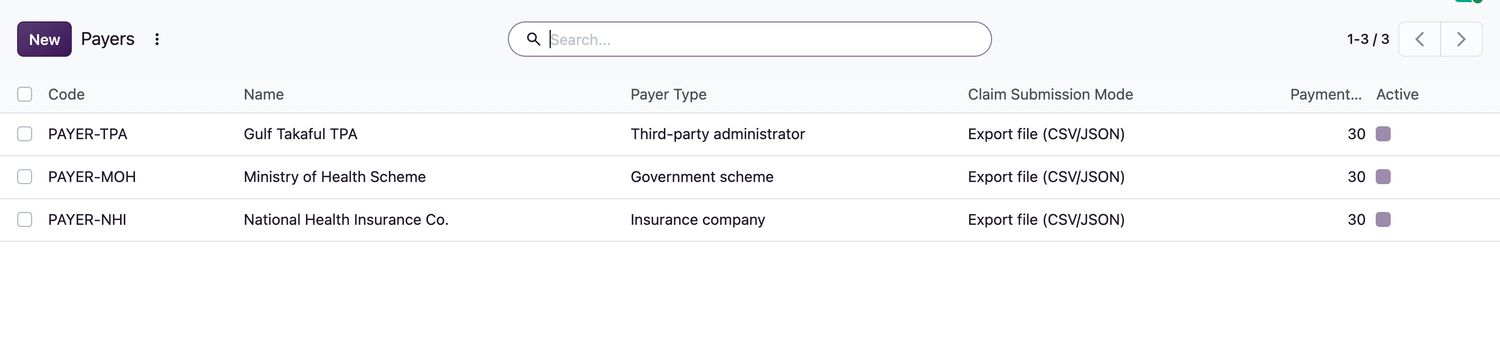
- Open Insurance → Payers and add each insurer, administrator or sponsor with its Code, Payer Type, Claim Submission Mode, Payment Terms Days and contact details.
- To connect eligibility checks online, open the Eligibility Connector tab: set the Eligibility Mode, an HTTPS Eligibility Url, the authentication and the response map that says where the eligible flag is. Use Sandbox Mode while testing.
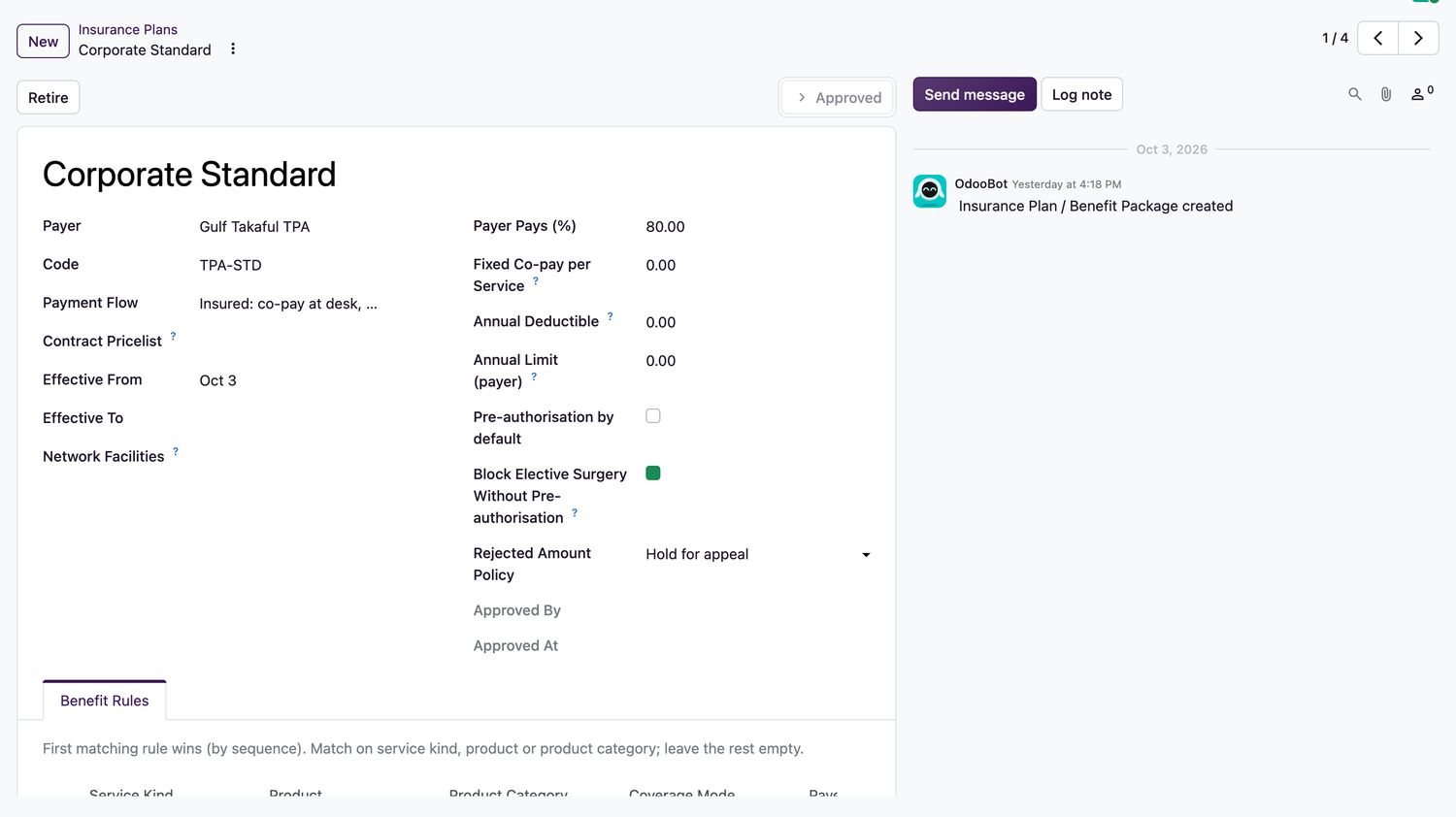
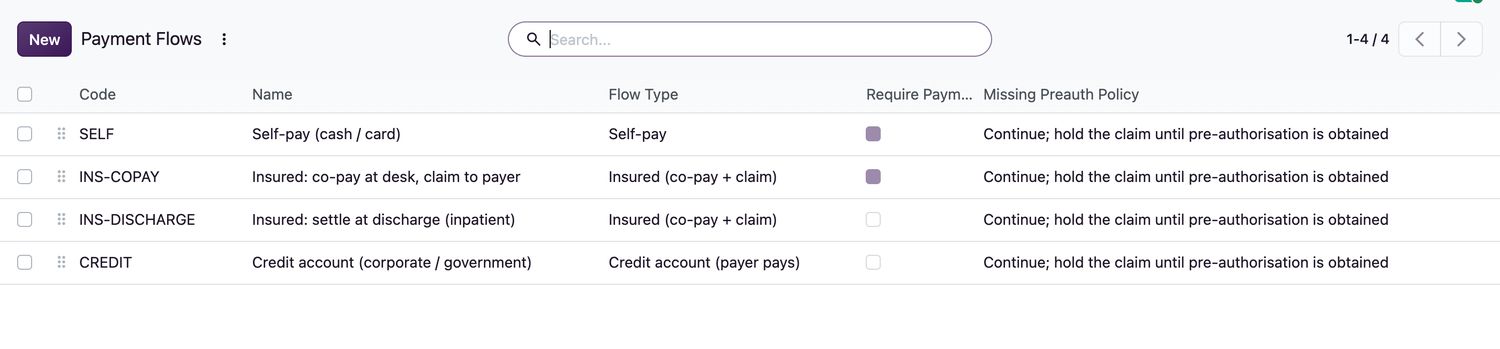
- Open Insurance → Insurance Plans and select New. Choose the Payer and Payment Flow, set Payer Pays (%), Fixed Co-pay per Service, Annual Deductible and Annual Limit.
- Add Benefit Rules. The first matching rule by sequence wins: match by service kind, product or product category.
- Choose the Rejected Amount Policy and whether elective surgery needs pre-authorisation. Select Approve.
Good to know
- An approved plan is immutable. To change terms, select Retire and create a new version, so past claims keep the terms they were made under.
- A payment flow can Require Payment Before Service. See Collect payment and handle payment holds.
Related topics
Was this helpful?
Thank you. Your feedback is recorded.Thank you. Tell us what is missing so we can fix this guide.
Report an issue with this guide