
Check eligibility with the payer
Available to
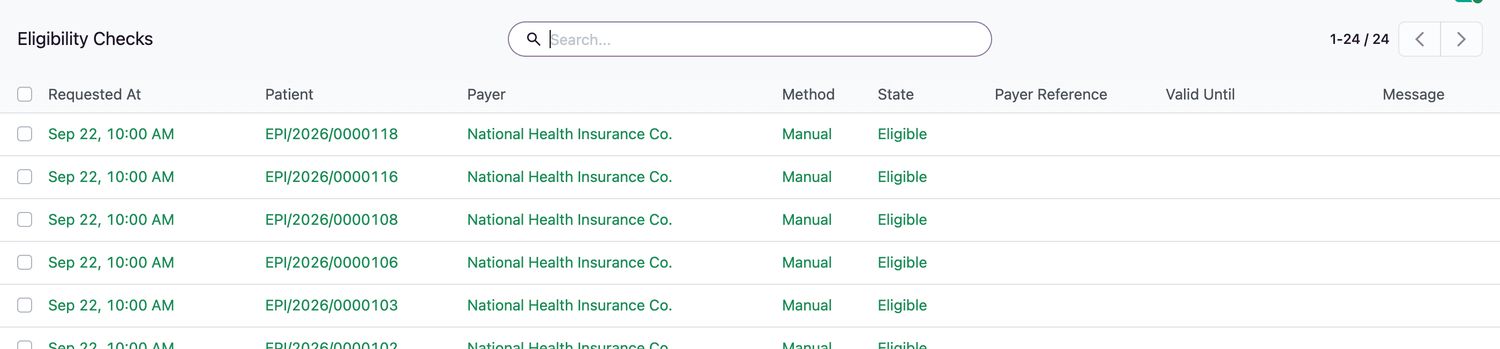
Registration officers and billing officers.An eligibility check asks the payer whether the patient is covered for a service date. Each check is saved as a permanent record.
Check eligibility
- Open the patient's coverage and select Check Eligibility. The request goes to the payer's online connector.
- Read the result: Eligible or not, the Valid Until time, the Payer Reference and any copay or remaining limit the payer reported.
- If the payer has no online connector, select Record Manual Check instead and enter the reference the payer gave you.
Rules
- Only billing or registration staff can request or record a check.
- A second check for the same coverage within a few seconds is refused. Wait for the time shown.
- Eligibility checks cannot be edited or deleted.
- A payer can be set to require a current eligibility check before a claim is submitted.
Related topics
Was this helpful?
Thank you. Your feedback is recorded.Thank you. Tell us what is missing so we can fix this guide.
Report an issue with this guide