
Complete pre-operative check-in
Available to
Surgeons, anaesthetists, theatre nurses.Pre-operative check-in confirms the patient is ready on the day. Fill in the Pre-op Assessment tab, then select Pre-op Check-in on the scheduled case.
Check the patient in
- Open the scheduled case and select the Pre-op Assessment tab.
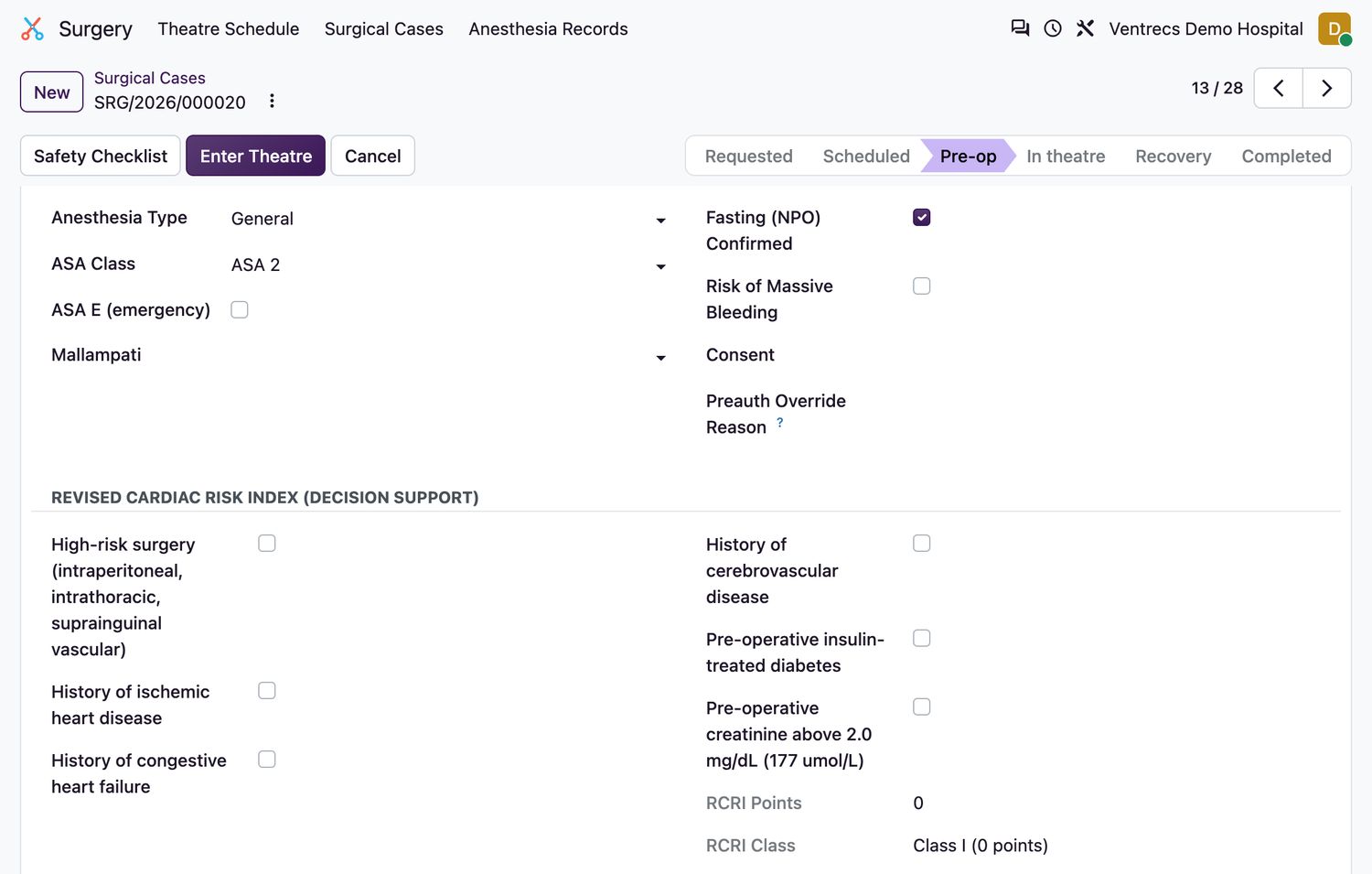
- Record the Anesthesia Type and the ASA Class. Tick ASA E (emergency) where it applies.
- Record Mallampati, and confirm Fasting (NPO). Tick Risk of Massive Bleeding if relevant.
- Link the patient's Consent. See Record and withdraw consent.
- Complete the Revised Cardiac Risk Index. The RCRI Points and RCRI Class are calculated.
- Select Pre-op Check-in. The case becomes
Pre-op.
Check-in is refused unless
- ASA class and the planned anaesthesia are required.
- Fasting must be confirmed for elective cases.
- A granted treatment consent is required. For an emergency case, enter a Consent Waiver Reason instead.
- An expired consent is refused.
- RCRI class IV needs an anaesthetist assigned, who must review the patient before check-in.
Related topics
Was this helpful?
Thank you. Your feedback is recorded.Thank you. Tell us what is missing so we can fix this guide.
Report an issue with this guide