
Monitor interface transactions
Available to
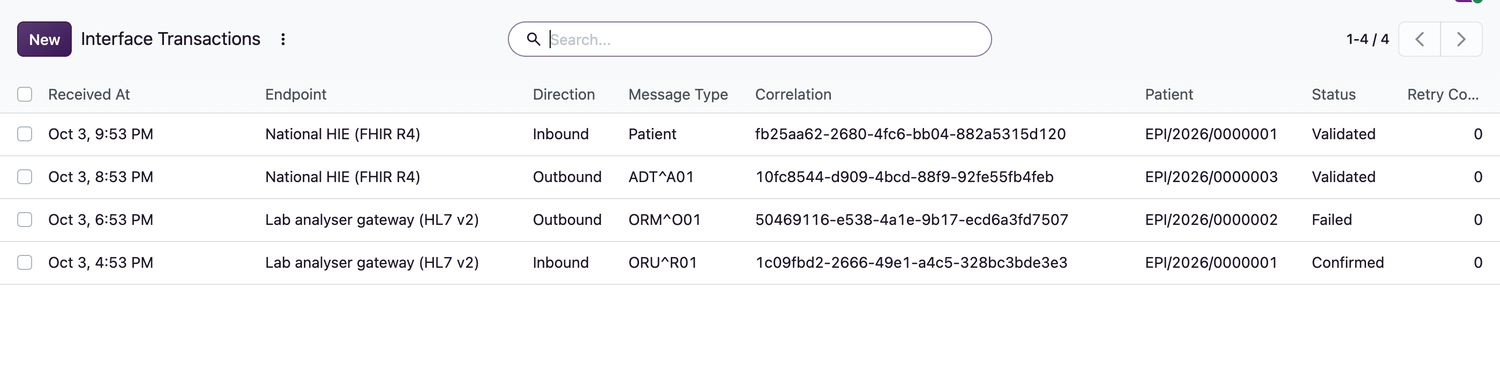
Integration operators.Every message that Ventrecs exchanges with another system (a laboratory analyser, a health information exchange, a payer) is recorded as an interface transaction. Use the list to see what arrived, what was sent, and what failed.
Review transactions
- Open Integration → Interface Transactions.
- Read the list: when it was received, the Endpoint, Direction (Inbound or Outbound), Message Type, the Correlation identifier, the patient and the Status.
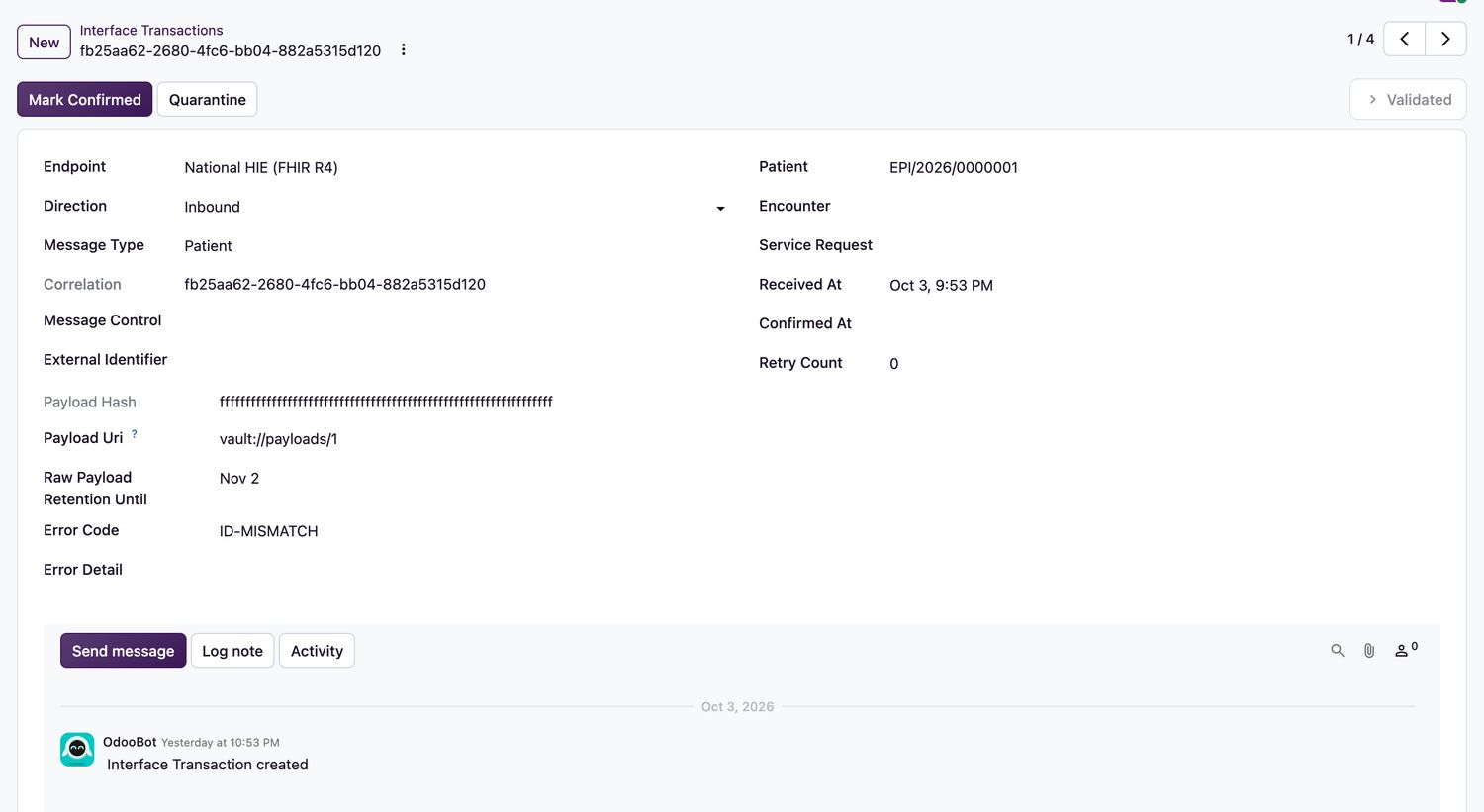
- Select a transaction to see the identifiers, hash, retention date and any Error Code and Error Detail.
Transaction status
| Status | Meaning | What you can do |
|---|---|---|
Received | The message arrived. | Mark Validated once it passes validation. |
Validated | The message is valid. | Mark Confirmed when the receiving side confirms it, or Quarantine if there is a problem. |
Processing | Being processed. | Mark Confirmed when done. |
Confirmed | Delivered and acknowledged. | Nothing more is needed. |
Failed | Processing failed. | Retry. |
Quarantined | Held for review. | Retry after the cause is fixed. |
Rules
- To quarantine a transaction, enter the error or reconciliation reason first.
- Only a failed or quarantined transaction can be retried.
- Transaction records point to the stored payload by a reference; they do not contain the message itself.
Related topics
Was this helpful?
Thank you. Your feedback is recorded.Thank you. Tell us what is missing so we can fix this guide.
Report an issue with this guide