
Open and manage a pregnancy episode
Available to
Midwives, obstetricians, nurses.A pregnancy episode follows one pregnancy from the first visit to delivery or loss. Antenatal visits, the delivery and postnatal visits all attach to it.
Open an episode
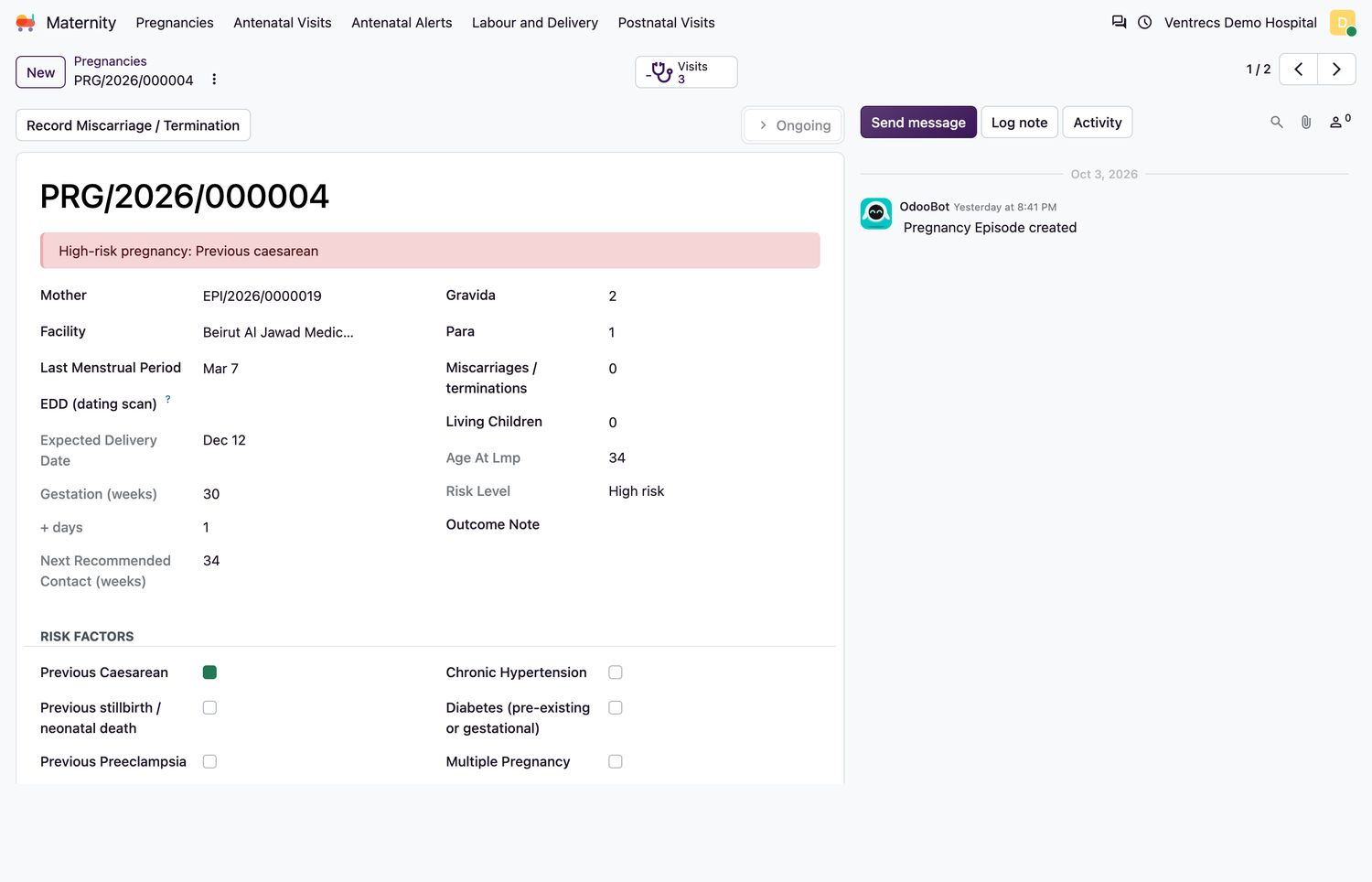
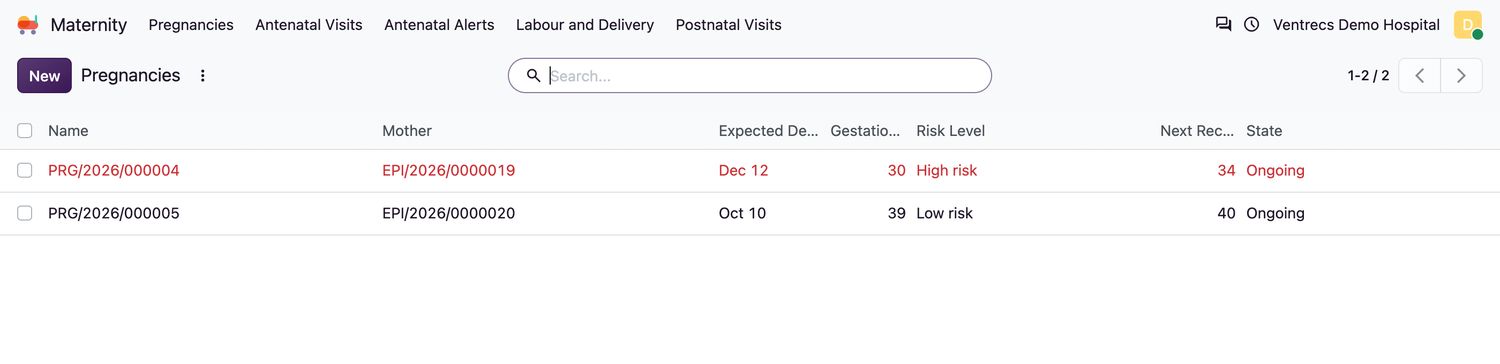
- Open Maternity → Pregnancies and select New.
- Choose the Mother and the Facility.
- Enter the Last Menstrual Period. It cannot be in the future. The Expected Delivery Date and the gestation in weeks and days are calculated. If a dating scan gives a different date, enter it in EDD (dating scan); it must be plausible for the LMP.
- Enter Gravida (this pregnancy counts), Para, Miscarriages / terminations and Living Children. Para plus miscarriages cannot exceed gravida.
- Tick any Risk Factors that apply: previous caesarean, previous stillbirth or neonatal death, previous pre-eclampsia, previous postpartum haemorrhage, chronic hypertension, diabetes, multiple pregnancy, Rh negative, and any other risk.
- Save. The episode is
Ongoingand shows the risk level.
What makes a pregnancy high risk
| Risk reason | When it applies |
|---|---|
| Previous caesarean, stillbirth or neonatal death, pre-eclampsia, postpartum haemorrhage | Ticked as a risk factor. |
| Chronic hypertension, diabetes, multiple pregnancy | Ticked as a risk factor. |
| Age under 18, age 35 or over | Calculated from the mother's date of birth and the LMP. |
| Grand multiparity | Para of 5 or more. |
| Other | Text entered in Other Risk. |
Episode states
| Episode state | Meaning |
|---|---|
Ongoing | The pregnancy is current. |
Delivered | Set when the delivery record is finalised. |
Miscarriage / termination | Set with Record Miscarriage / Termination; an outcome note is required. |
Closed | A delivered or terminated episode can be closed with Close Episode. |
Related topics
Was this helpful?
Thank you. Your feedback is recorded.Thank you. Tell us what is missing so we can fix this guide.
Report an issue with this guide