
Reconcile an imaging study
Available to
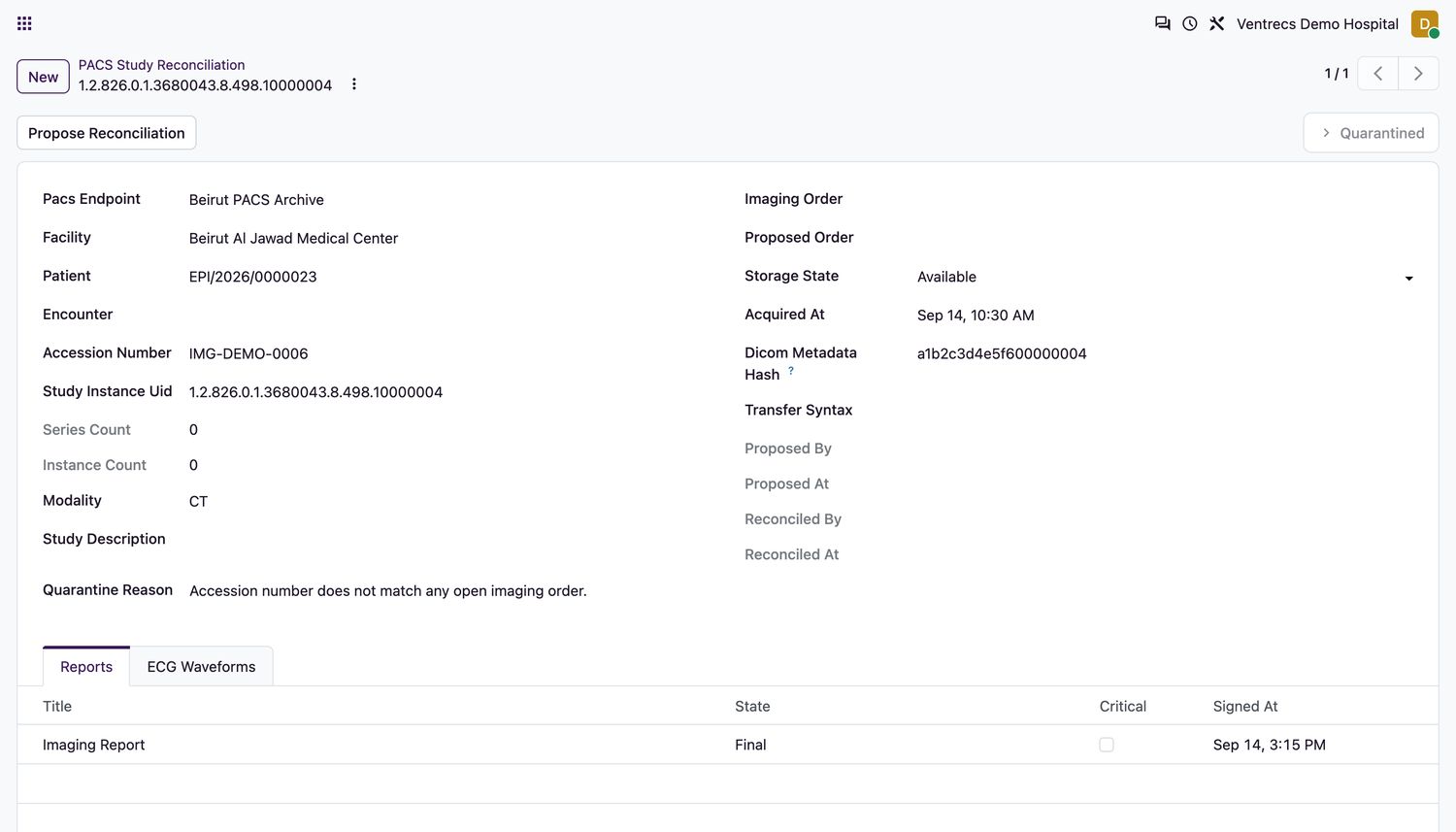
Radiology users and the radiology / health-information manager.Studies normally link to their order on arrival by accession number, patient and facility. A study that does not match is quarantined and cannot be used for care until two authorised people reconcile it.
Reconcile
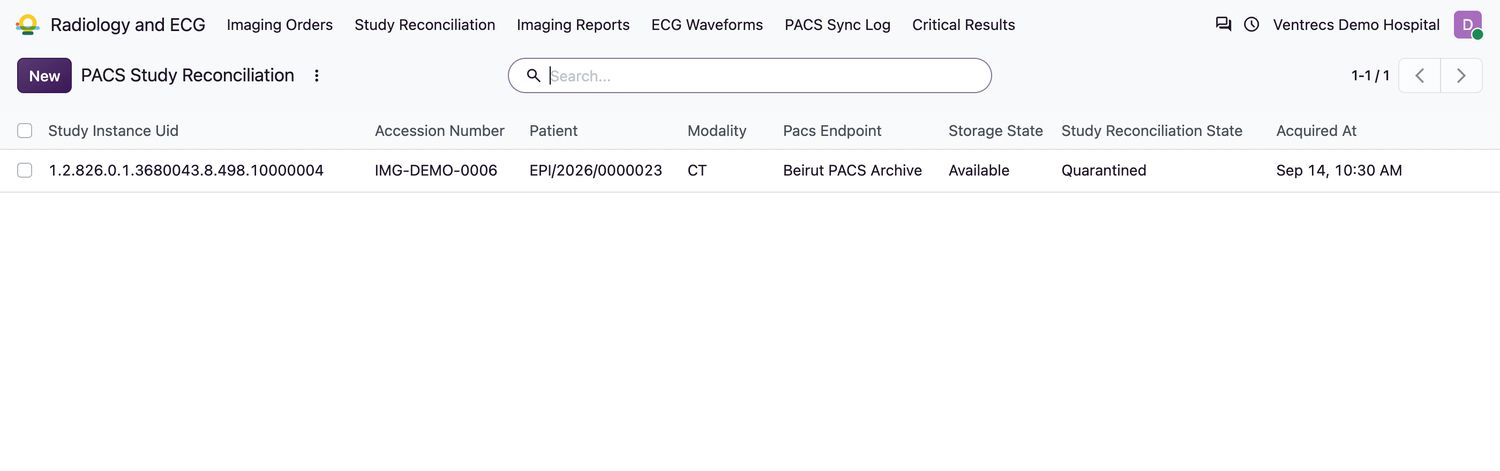
- Open Radiology and ECG → Study Reconciliation. Quarantined studies show Study Reconciliation State
Quarantined. - Select the study and read the Quarantine Reason.
- Choose the correct Proposed Order (it must match the study's patient, facility and accession context) and select Propose Reconciliation.
- A second authorised person, who is not the person who proposed it, selects Approve Reconciliation. The study is linked to the order.
- To refuse the proposal, enter the Rejection Reason and select Reject Reconciliation.
States
| Reconciliation state | Meaning |
|---|---|
Linked | Matched to its order. Normal. |
Quarantined | Held. Cannot be viewed for care. |
Proposed Reconciliation | A target order is proposed and waiting for approval. |
Reconciled | Approved and linked. |
Rejected | The proposal was refused. |
Viewing images
- Select Open Viewer to look at the images. Only clinicians and radiology staff can open the viewer, and only for studies available for clinical viewing.
- Viewer links are single-use and time-limited. If one has expired, open the viewer again.
Related topics
Was this helpful?
Thank you. Your feedback is recorded.Thank you. Tell us what is missing so we can fix this guide.
Report an issue with this guide