
Set up wards and beds
Available to
Configuration managers.Wards and beds are configured under HIS Administration. Only a configuration manager can change them.
Create a ward
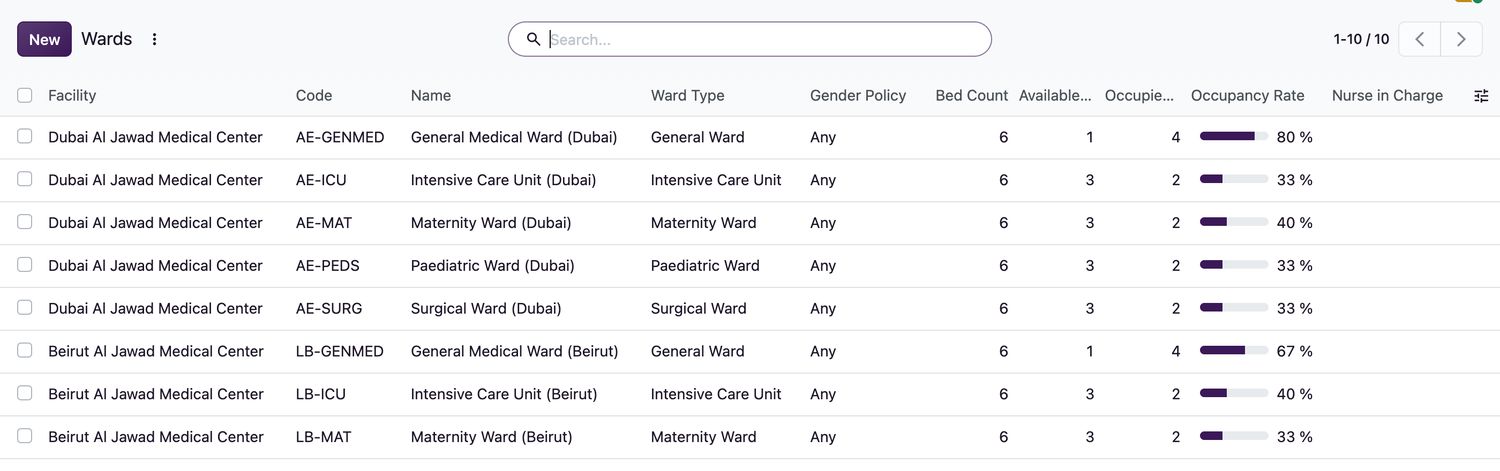
- Open HIS Administration → Wards and select New.
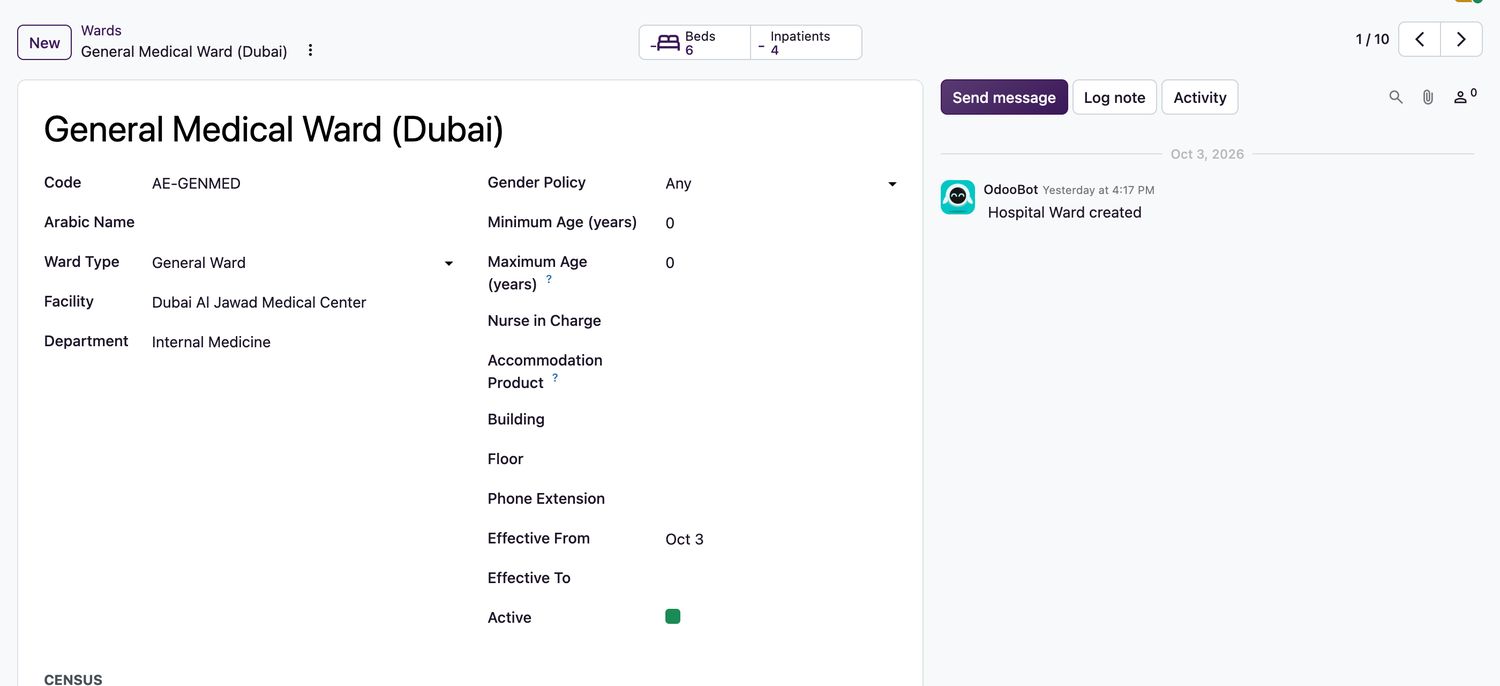
- Enter the Name, Code, Ward Type (for example General Ward, Intensive Care Unit, Maternity Ward), Facility and Department. The department must belong to the same facility.
- Set the Gender Policy and, if needed, a Minimum Age and Maximum Age in years.
- Optionally enter the Nurse in Charge, Accommodation Product (used for the daily bed charge), Building, Floor and Phone Extension.
- Save. Then open HIS Administration → Bed Board Setup and create the ward's beds.
Create a bed
- In Bed Board Setup, select New.
- Enter the Code and Name, and choose the Facility, Ward, Department and Bed Type.
- Tick the equipment the bed has: Oxygen, Suction, Cardiac Monitor. Tick Isolation Capable where it applies.
- Set the bed's Gender Policy and, if beds are charged by the day, an Accommodation Product.
- Save. The bed appears on the bed board as
Available.
Related topics
Was this helpful?
Thank you. Your feedback is recorded.Thank you. Tell us what is missing so we can fix this guide.
Report an issue with this guide